ArtPlacer Alternatives: What to Use for Wall Art Mockups
The best ArtPlacer alternative depends on what you need. Use WallMockup for fast, true-to-scale wall art listing images. Use a broader template tool if you need many asset types. Use ArtPlacer itself if you need gallery, presentation, website, or exhibition features that go beyond mockup exports.
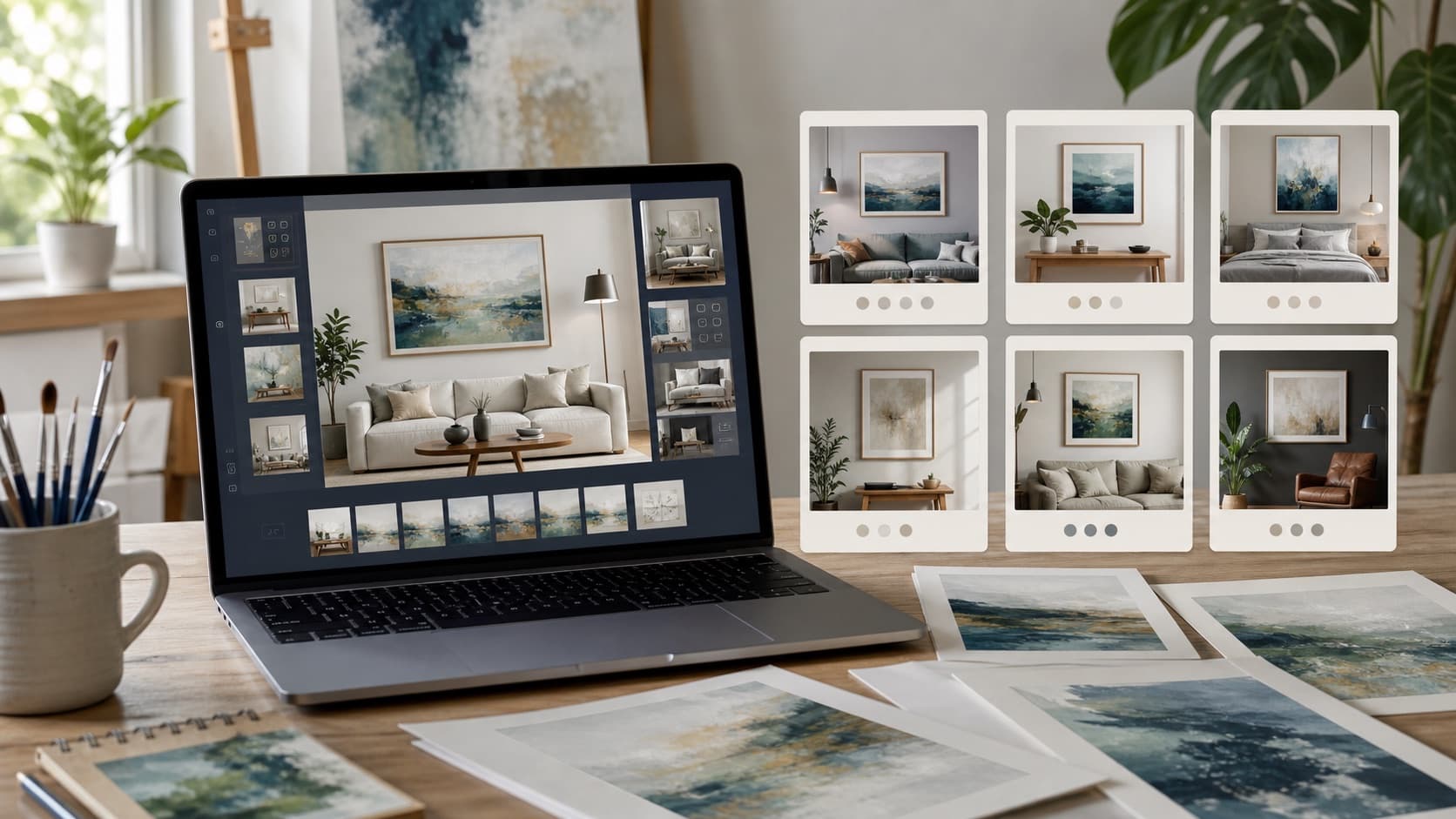
Artists usually look for ArtPlacer alternatives for one of three reasons: cost, complexity, or fit. ArtPlacer is built for a broader art presentation workflow. That can be useful, but not every seller needs gallery tools, client spaces, AR, or website integrations.
If your main task is making Etsy or Shopify listing images, a narrower tool may be faster. You may care more about true-scale sizing, frames, shadows, room scenes, and exports than a full art-business platform.
The real question is simple: are you replacing ArtPlacer, or just replacing one ArtPlacer task?
What will this guide cover?
- Which ArtPlacer alternative should you choose first?
- How do the main ArtPlacer alternatives compare?
- Why do artists look for ArtPlacer alternatives?
- Which ArtPlacer alternatives are worth testing?
- How should you choose an ArtPlacer alternative?
- How should you compare alternatives fairly?
- What is the best ArtPlacer alternative for most print sellers?
Which ArtPlacer alternative should you choose first?
Start with the workflow you repeat most. For wall art sellers, the core workflow is simple: upload artwork, choose a room, set real dimensions, adjust frame and shadow, export.
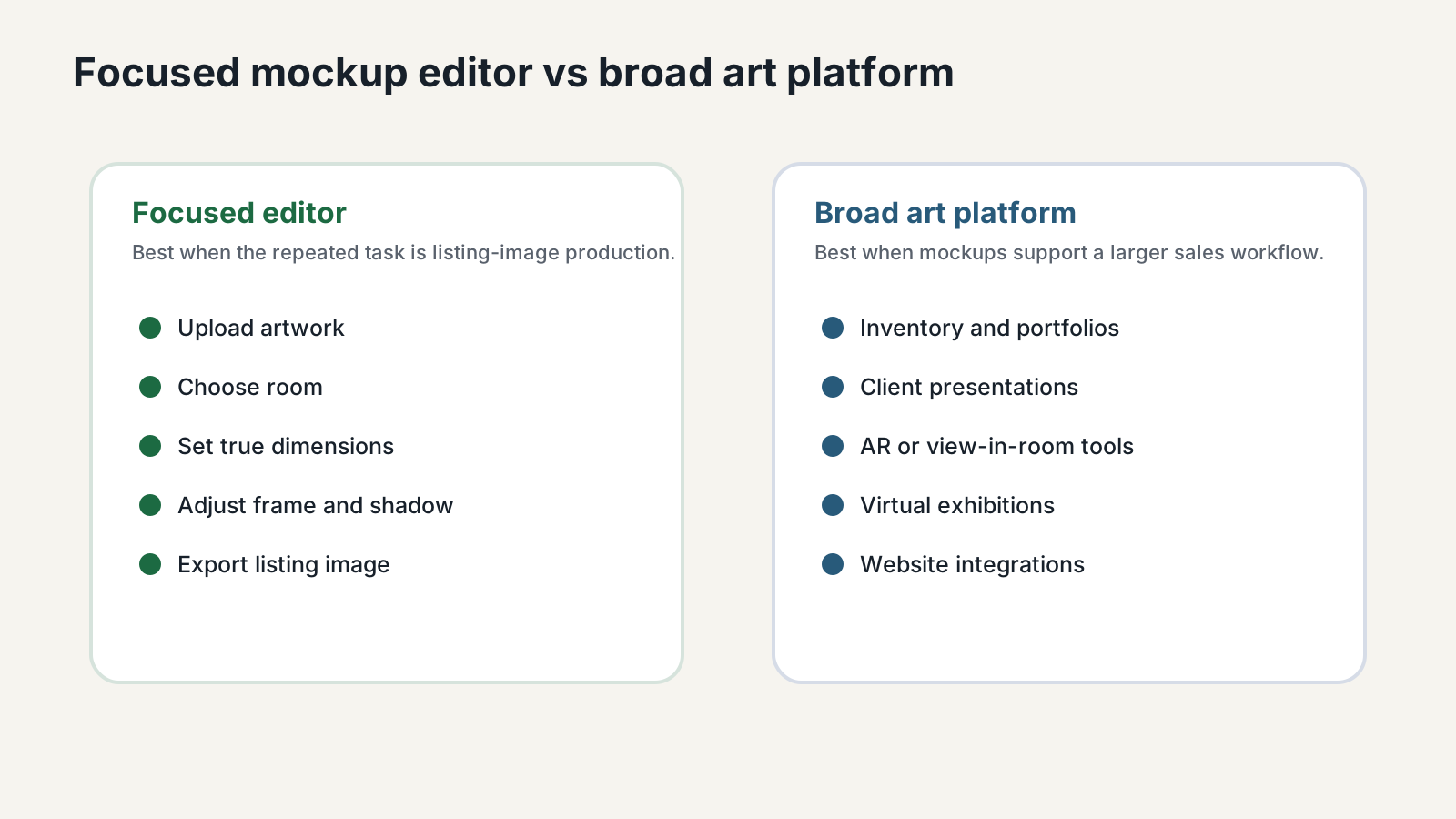
Do not pick the tool with the longest feature list. Pick the one that makes your weekly listing image easier, faster, and more accurate.
How do the main ArtPlacer alternatives compare?
Twenty tools, scored on four dimensions plus a weighted overall. The scores are my own opinionated read, not a vendor spec sheet. Switch tabs for free tools, sort by what you care about, and tap any row for my notes. ArtPlacer's current plan range and 14-day trial were checked against the official ArtPlacer pricing page.
Tap any row to read my notes · Toggle “Show Features” for a feature-by-feature view · Sort by any column
Why do artists look for ArtPlacer alternatives?
Let me be fair to the tool everyone is comparing against. ArtPlacer is not just a mockup generator. It is a full art-business platform: augmented reality “view on my wall” widgets, virtual exhibitions, presentation tools, website integrations, AI video mockups, and a library of 2,900+ rooms with new ones added every week. In September 2026 it also added Instant Mockups, which turns up to three artworks into a set of framed room shots. If you run a gallery, sell originals at real prices, or work with art advisors who need to show a piece in a client’s actual room, that depth is worth paying for.
The catch is that you pay for all of it whether you use it or not, and the price climbs quickly toward the higher tiers. As of this refresh, ArtPlacer lists artist plans from $9/month (Basic, with 50 artworks and 30 downloads a day) and gallery plans up to $169/month, or $8 to $144/month billed yearly. The website widget starts on the $45 Professional plan. If your day-to-day is uploading a new print, sizing it for a 24×36 frame, and exporting a listing image, most of ArtPlacer sits unused. That is the exact gap every tool below is trying to fill, usually by being faster, cheaper, or more specialized.
Which ArtPlacer alternatives are worth testing?
These are the ones I would actually put in front of an indie artist or print seller. I have led with the art-focused contenders, then grouped the general-purpose tools that can do wall art but were not built for it.
WallMockup
8.7/10Best for fast, true-to-size Etsy & Shopify listing images
Full disclosure: this is our tool, so take the praise with a grain of salt. The scores above are deliberately not a perfect 10. WallMockup does one job and tries to do it without ceremony. You open a browser tab, upload your art, drop it on a wall, set the real-world size, pick a frame, tune the shadow, and export. No project setup, no onboarding wizard, no features you have to learn around.
Where it wins is the boring stuff that adds up: genuine true-scale sizing so a 12×16 print actually looks like a 12×16 print, 54 frame styles with single and double mats, shadow depth control, batch mockups, and gallery-wall plans of up to 24 pieces. Where it loses, honestly, is breadth: 720 rooms is fewer than the giants, there is no video mockup yet, and no portfolio builder. If room count or AR is your deal-breaker, ArtPlacer or Smartist will serve you better. If speed and price-to-value are what you care about, this is hard to beat.
MOCKLIO
8.0/10Best for video mockups and Instagram / TikTok reels
MOCKLIO is the one I would watch most closely in 2026. It pairs solid still mockups with genuinely good video output: cinematic 10-second room clips that look right at home in a Reel or a TikTok. Pro ($19 a month) adds a portfolio with a shop and an AI batch mode that matches up to 50 artworks to rooms. The free plan gives unlimited front-view stills, which lowers the cost of trying it to basically zero.
For an artist whose marketing lives on short-form video, MOCKLIO covers a gap most of the category still ignores. Video is capped per month, renders take a couple of hours, and exact print-size input is not listed. But for the specific job of “make my print move on social,” it punches above its weight.
Smartist
7.0/10Best if you run your whole shop from an iPhone
Smartist is an Apple app for iPhone, iPad, and Mac, and it is the most feature-rich tool here on paper: 3,000-plus interiors on Pro, angle views, art behind foreground objects, custom frames and mats, video, AR, and your own room photos. If you photograph, edit, and post entirely from your phone, the workflow feels natural in a way desktop tools never quite do on mobile.
The trade-off is the model: Pro is $19.99 a month, or $7.49 a month billed yearly, and the free plan includes only 5 interiors. And if you prefer to organize artwork, exports, and listing files on a laptop, an app-first tool can feel like working with one hand tied behind your back. Worth a look mainly if your answer to “where do you work?” is “my phone.” Windows and Android users are out of luck.
Canvy
7.3/10Best free plan plus a portfolio site
Canvy is the one I would hand to someone just starting out. The interface is clean, the free plan gives you 15-plus rooms and 7 medium-size, watermarked downloads a week, and the paid plans unlock 2,000-plus rooms, video rooms, AI generations, and a portfolio website builder. Plus is $19 a month with 200 downloads; unlimited downloads and Etsy export need Pro at $39 a month.
Canvy leans more toward calm, portfolio-style presentation than rapid-fire listing export, and its prices have climbed. If your main job is pumping out tightly controlled Etsy images with exact frame, mat, and shadow settings, a focused editor will feel faster. But as a low-risk way to start with a real free tier, it is excellent.
Bello
6.8/10Best for premium, magazine-style scenes
Bello plays a different game: instead of a giant library of decent rooms, it offers a smaller set of beautifully art-directed, magazine-quality interiors, plus video mockups for social. The scenes look expensive, which is exactly the point if you sell fine-art prints or photography where presentation is part of the price.
It is pay-per-use rather than a subscription. You buy bundles, often at a 30 to 50% discount, which suits sellers who need a handful of hero images now and then rather than a constant stream. If you publish a new piece every week, the per-image cost can add up; if you want a few stunning shots, it is a smart pick.
Placeit by Envato
5.8/10Best broad library if you sell more than wall art
Placeit is not an art tool; it is a vast general mockup-and-template library. Apparel, mugs, devices, logos, social templates, video: thousands of options. If your shop spans shirts and totes and posters, one Placeit subscription can replace several tools.
For wall art specifically, the trade-off is control. There is no true-scale sizing, frame depth and mat width are whatever the template gives you, and consistency across a whole catalog is hard. Great as a Swiss-army knife for a multi-product brand; underwhelming if accurate wall art is the entire business.
Mockey AI
7.0/10Best no-watermark free tier
Mockey AI earns its place mostly on access: a fast, AI-assisted generator with a broad template library and, rare for this category, a free tier that does not slap a watermark on your export. For knocking out a quick visual at no cost, it is genuinely useful.
It is not art-specific, though. No frame controls, no true-scale sizing, and the rooms are generic. Fine for a fast, free, good-enough image; not the tool for a polished, consistent wall-art catalog.
Printify & Printful generators
7.5/10Best if you already print through them
If you run print-on-demand through Printify or Printful, their built-in mockup generators are free and already wired into your products. For someone in that ecosystem, that convenience is hard to argue with.
The limits show fast outside it: a small set of lifestyle scenes, no frame control, and no true-scale sizing. Good enough to populate a POD listing; not where I would go to make a hero image I am proud of.
The general design tools (Canva, Kittl, Glorify, Artboard Studio, Mediamodifier, Renderforest)
These all can produce a wall-art mockup, but none were built for it. Canva is the obvious one: if you already make your pins and posts there, generating a quick mockup inside the same file is convenient, even if the result looks a little generic and ignores real sizing. Kittl leans toward print-on-demand designers who also need to create the artwork, with strong AI design tools and mockups as a side feature. Glorify is brand- and e-commerce-focused, Artboard Studio gives you Photoshop-like layer control in the browser (powerful but a lot to learn), and Mediamodifier and Renderforest are template factories where wall art is one small drawer in a very big cabinet. Reach for these when a mockup is one step inside a bigger design job, not when the mockup is the job.
Batch and Photoshop routes (Bulk Mockup, plus PSD packs)
If you have a large catalog and already live in Photoshop, Bulk Mockup is clever: it is a plugin that pours your art into hundreds of PSD templates in minutes. The same logic applies to free PSD libraries like Mockup World or Freepik: the scene quality can be excellent and the control is total. The cost is that everything is manual and Photoshop-bound, and it is easy to end up with an afternoon lost to layers, exports, and slightly inconsistent sizing. Best for high-volume sellers who treat mockups as a batch job, not a creative one.
The free roundup (Mockup World, Freepik, MockupBro, SmartMockups, Mockey AI)
Free can absolutely be enough for a one-off. MockupBro needs no sign-up, Mockey AI skips the watermark, and Mockup World and Freepik hand you raw PSD files if you have Photoshop. The common thread is that you trade away true-scale sizing, frame control, and catalog consistency. One note: SmartMockups has been folded into Canva, so check what is actually available before you build a workflow around it. Free tools are a great way to start; they tend to become the bottleneck once you are publishing regularly.
How should you choose an ArtPlacer alternative?
Do not start with features. Start with the image you need to publish this week, then work backward.
If you sell on Etsy
Your first image has to read at thumbnail size and communicate the art, the scale, and the style in a glance. A focused wall-art tool beats a sprawling template library here. Build a repeatable five-image set: one clean hero mockup, one close-up of the art or frame, one size-comparison shot, one neutral-wall version, and one image showing exactly what the buyer receives. See our Etsy wall art mockup guide for the full layout.
If you sell originals or higher-priced work
Buyers need more confidence before they inquire. This is where ArtPlacer, Smartist, or Bello earn their keep. Real room visualization, client-space uploads, and presentation polish matter more than raw speed.
If you run a gallery
Do not choose on mockup output alone. Weigh inventory management, collector presentation, virtual exhibitions, website widgets, and team access. ArtPlacer is still the strongest answer here, and that is fine.
If you mostly make social content
Canva, MOCKLIO, or Mockey AI will get you moving fastest, because the mockup is just one layer of a post, pin, or reel rather than the finished product.
How should you compare alternatives fairly?
Whatever shortlist you land on, run the same quick test before committing. Take one portrait, one landscape, and one square piece, and try to make the same listing image in each tool. Then score each on: time to first useful mockup, believable scale, honest frames and mats, room quality, export quality, and how painless it is to repeat. The second and twentieth mockup matter far more than the first. That is where the real cost (or savings) hides.
What is the best ArtPlacer alternative for most print sellers?
The best ArtPlacer alternative depends entirely on whether you need a selling platform, a mockup editor, or a design library. If you need gallery presentations, client rooms, AR, and a website widget, keep ArtPlacer on the shortlist. Nothing else matches that breadth.
But most people reading this are not running a gallery. They are selling prints, and they need clean, correctly-sized listing images on repeat. For that, I would start with WallMockup for speed and value, look at MOCKLIO if video matters, Smartist if you live on your phone, and Canvy if you want a real free tier to learn on. The mistake is paying for power you will never touch. The better move is matching the tool to your boring weekly task, because boring is exactly where the money quietly leaks out.
If you want to feel the difference rather than read about it, the fastest way is to open the editor and put one of your own pieces on a wall. You can also dig into a head-to-head in ArtPlacer vs WallMockup vs Placeit.
Key Takeaways
- ArtPlacer is broader than many Etsy and Shopify print sellers need.
- WallMockup is the focused option for true-scale wall art listing images.
- General template tools make sense when you sell many product types.
- Pricing should match your publishing rhythm, not just the monthly sticker price.
- Test alternatives with your real artwork before switching.
FAQ
What is the best ArtPlacer alternative?
For fast, true-to-size wall art listing images, WallMockup is a strong alternative. For video mockups, look at MOCKLIO; for a mobile-first workflow, Smartist; for a generous free plan, Canvy. The “best” one depends on whether you want a mockup editor, a selling platform, or a design library.
Is ArtPlacer worth it for artists?
It can be, if you use its broader tools: room mockups, AR, virtual exhibitions, website widgets, and collector workflows. If you only need quick product mockups, a simpler, cheaper alternative will usually fit better.
What is the cheapest ArtPlacer alternative?
It depends on volume. WallMockup offers a 7-day trial with no card, a one-time $5.99 pack of 100 credits, and Pro at $4.99 a month. Canvy, MOCKLIO, and Mockey AI have genuinely usable free tiers. Always check whether free exports include watermarks or lower resolution before you rely on them.
Which alternative is best for Etsy sellers?
Etsy rewards clean, consistent listing images: accurate scale, realistic rooms, frame options, and a fast repeatable workflow. A focused wall-art tool like WallMockup fits that job well; general template libraries tend to drift out of consistency across a full catalog.
Are mockups enough to sell art online?
No. Mockups help buyers picture scale and style, but they do not replace good artwork, clear product details, fair pricing, reviews, and honest shipping information. A great mockup gets the click; the rest earns the sale.