
The best art mockup tool depends on the job you repeat. WallMockup is the most focused option for true-scale wall art listing images. ArtPlacer is stronger for galleries and client presentations. Placeit is better when wall art is only one of many product categories. Canva is the easiest free general-design starting point. Photoshop gives experienced users the most manual control. MOCKLIO is the clearest video-first option in this comparison.
For artists, Etsy sellers, Shopify print shops, photographers, and print-on-demand wall art sellers, the practical choice comes down to accurate scale, room and frame control, export rights, repeatability, and whether you need still images, video, or a broader art-business platform.
Table of contents
- Direct answer: the best art mockup tools by use case
- Disclosure
- How we evaluated the tools
- 9 art mockup tools compared
- WallMockup
- ArtPlacer
- Smartist
- Canvy
- MOCKLIO
- Bello
- Placeit
- Canva
- Adobe Photoshop
- Practical workflow comparison for 20 listings
- Free art mockup tools, trials, and watermarked previews
- How to choose the right art mockup tool
- FAQ
- Final recommendations
Direct answer: the best art mockup tools by use case
- Best dedicated option for wall art listings: WallMockup. It centers the workflow on real print dimensions, wall scenes, frames, mats, shadows, and listing exports. Its limitation is equally clear: it does not make apparel, packaging, or device mockups.
- Best for galleries and client presentations: ArtPlacer. Room mockups sit inside a wider platform with AR, personal spaces, virtual exhibitions, presentations, inventory, and contact tools.
- Best for many product categories: Placeit. Its main advantage is breadth across mockups, designs, logos, and video - not wall-art-specific measurement control.
- Best free or low-cost starting points: Canva for general design, Canvy for weekly room exports, and MOCKLIO for front-view stills. Bello and Smartist offer watermarked previews, not clean free listing exports.
- Best for maximum manual control: Adobe Photoshop. Smart Objects, masks, perspective transforms, and custom documents can produce almost any result if you supply the room assets and build the system.
- Best video-first option: MOCKLIO. It pairs free still mockups with paid 10-second horizontal or vertical video renders and portfolio pages.
Disclosure
WallMockup publishes this guide and is one of the products compared. We apply the same criteria to every tool and clearly identify where another product is the better choice.
WallMockup is recommended only for the workflow it is built to handle: wall art listing images. It is not the best option here for galleries needing AR and exhibitions, sellers needing apparel and merchandise mockups, artists working only on Apple mobile devices, or creators whose main deliverable is video.
How we evaluated the tools
We reviewed the current US English results for “best art mockup tools” and closely related wall art, Etsy, free-tool, app, and Photoshop-alternative searches on July 16, 2026. Ranking pages commonly compared 8–11 products, but many were written by a vendor that placed its own product first, mixed documentation with unverified performance claims, or called watermarked previews “free tools” without explaining what could actually be published.
For this update:
- WallMockup was checked hands-on in the local editor with the same committed portrait artwork used for editor QA.
- ArtPlacer, Smartist, Canvy, MOCKLIO, Bello, Placeit, Canva, and Photoshop were reviewed using official product documentation, pricing pages, help centers, and license terms.
- We did not assign speed, realism, review, or performance scores because equivalent hands-on access was not available across all nine products.
- We did not use vendor-reported user counts, testimonials, conversion claims, or star ratings as ranking evidence.
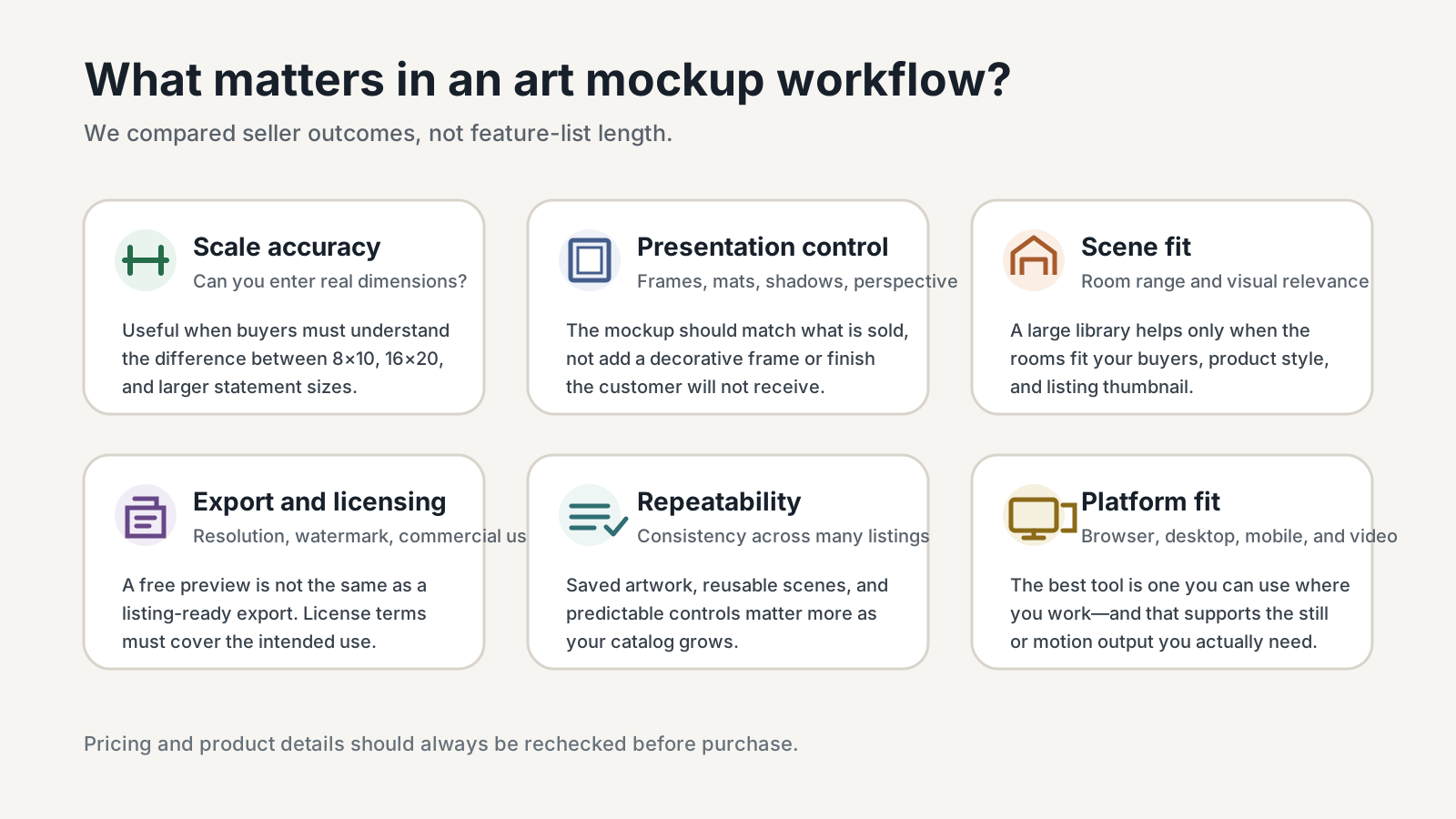
- We compared true-scale sizing, frame and mat control, scene selection, export terms, watermark rules, video support, platform availability, repeat-listing workflow, and price.
Pricing and features checked July 2026. Prices, limits, discounts, and plan names can change, so confirm the linked official pages before purchasing. Taxes are not included unless a vendor says otherwise.
9 art mockup tools compared
| Tool | Best for | True-scale sizing | Frame and mat control | Video | Free access and starting price | Main limitation |
|---|---|---|---|---|---|---|
| WallMockup | Wall art listing images | Yes - real dimensions | Frames, mats, shadows | AI rooms | 7-day trial; $5.99 one-time pack or $4.99/month | Wall art only; no bulk export, AR, gallery CRM, or video |
| ArtPlacer | Galleries, advisors, client presentations | Yes | Custom frames; presentation tools | Yes, plan credits | 14-day trial; $9/month or $8/month billed annually | Broader and more complex than a listing-only workflow |
| Smartist | iPhone, iPad, and Mac art visualization | Yes | Frames, mats, angles, custom rooms | Yes | Free watermarked version; $19.99 monthly or $7.49/month on the displayed annual offer | No browser or Android workflow listed |
| Canvy | Browser room mockups, artwork storage, portfolio site | Yes | Frames and editable room colors | No dedicated video feature listed | Free plan; $19/month or $149/year | Free plan has 15+ rooms and 7 medium-size downloads weekly |
| MOCKLIO | Cinematic art video and portfolio pages | Not specified | Placement and paid perspectives; detailed frame controls unspecified | Yes, 1080 horizontal or vertical | Free stills; $12/video or $19/month Pro | Exact dimension input and advanced frame/mat control are unclear |
| Bello | Buying selected scenes or templates | Yes on its room generator | Varies by product; frame and mat options available | Yes on selected products | Free watermarked previews; paid products commonly start at $2.50 | Costs and controls vary by scene; fixed aspect ratios can limit matches |
| Placeit | Wall art plus apparel, packaging, devices, logos, and video | No real-dimension workflow listed | Template-dependent | Yes, broad video library | Free templates; annual subscription displayed from about $8.33/month | Shared templates and limited wall-art-specific scale control |
| Canva | General design, listing graphics, social content, basic mockups | No dedicated true-scale wall workflow | Manual design controls | General video tools | Free plan; Pro is $144/year for one person | Mockups are one feature inside a general design platform |
| Photoshop | Custom reusable PSD systems and complete manual control | Manual setup | Complete manual control | Manual animation/video workflow | 7-day trial; $22.99/month, annual billed monthly | No included wall-art room library; highest setup and skill requirement |
The table is a decision summary, not a universal ranking. A gallery may choose ArtPlacer, a multi-product seller may choose Placeit, and an experienced retoucher may prefer Photoshop.
WallMockup
Verdict: WallMockup earns the top spot here for sellers who repeatedly need accurate wall art listing images in a browser.
Best for: Etsy wall art shops, Shopify print stores, photographers, and POD sellers offering posters, canvas, or framed prints.
What it does well
- Real print width and height are part of the editing workflow instead of an optional visual guess.
- The editor includes wall scenes, frame profiles, mats, colors, shadows, artwork placement, and 1×, 2×, and 4× export choices.
- Current checkout options include a $5.99 one-time Creator pack with 100 flexible credits for AI rooms or HD exports and a $4.99 monthly Pro plan with unlimited exports plus 10 monthly room credits.
- PNG and JPG are available to active trial users at every export resolution. WEBP requires credits or unlimited access.
- WallMockup’s terms and product pages state that exported mockups can be used for commercial listing and marketing work.
Important limitations
- It only serves wall art. There are no apparel, mug, packaging, device, or logo mockups.
- There is no video, AR, exhibition, gallery CRM, or marketplace listing publisher.
- There is no native multi-artwork bulk export.
Free option: A seven-day trial with no credit card. This is a trial, not a permanently free plan.
Who should choose it: Sellers whose repeated job is “upload art, set the real size, choose a room and frame, export a listing image.”
Who should skip it: Multi-product brands, galleries needing client-management features, and video-first marketers.
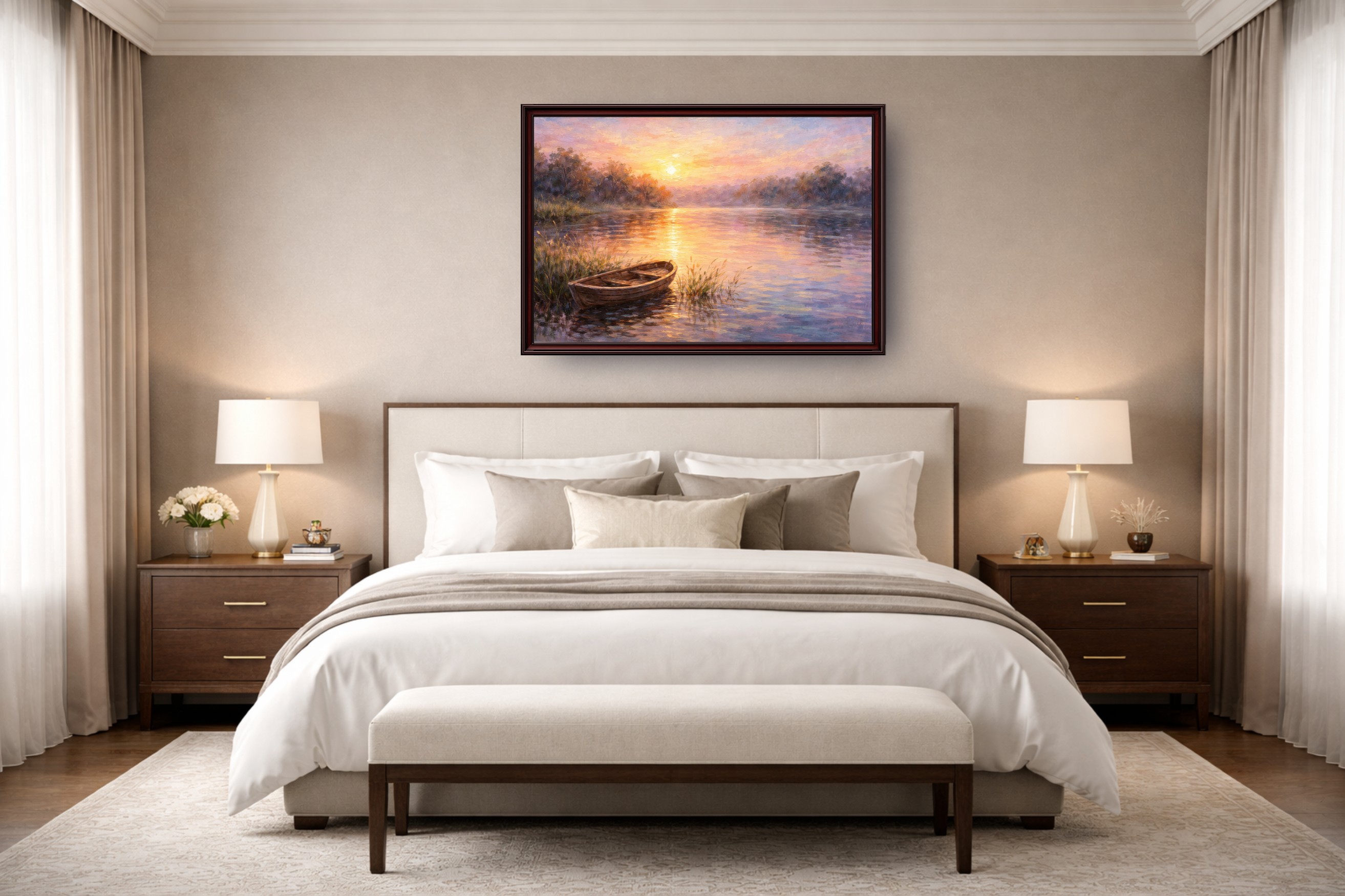
Use the wall art size calculator before building a size range, and the print resolution checker before uploading large marketplace files. Selling multi-piece sets or gallery walls? Get the grid and spacing right first with the gallery wall layout planner. Selling posters specifically? Check dimensions against the poster size chart before you shoot the mockup.
ArtPlacer
Verdict: ArtPlacer pulls ahead in this list when mockups are only one part of a gallery, advisory, exhibition, or collector-presentation workflow.
Best for: Galleries, art advisors, represented artists, studios with larger catalogs, and artists who need client-facing presentation tools.
What it does well
- ArtPlacer’s current pricing lists 2,900+ room mockups, custom frames, design downloads, and monthly video-generation credits across artist and business plans.
- Higher tiers add Personal Spaces, AR visibility, virtual exhibitions, presentations, contact management, and website integrations.
- The Basic artist plan is $9/month or $8/month billed annually and includes up to 50 artworks, 30 design downloads per day, and one video credit per 30 days.
- A 14-day free trial is available. ArtPlacer says it does not claim ownership of uploaded artworks.
Important limitations
- The listing-image workflow is part of a larger system, and Basic-plan artwork and daily download limits matter for a growing catalog.
- It costs more than several listing-focused options.
Commercial-use/export note: Paid plans include design downloads. Review ArtPlacer’s current terms for the exact use of room assets and exported designs; its official site separately confirms that uploaded artwork remains yours.
Who should choose it: Galleries and artists who want mockups, AR, presentations, exhibitions, and sales follow-up in one platform.
Who should skip it: A seller who only needs repeatable Etsy or Shopify listing images.
For a narrower comparison, see ArtPlacer vs WallMockup vs Placeit or the broader guide to ArtPlacer alternatives.
Smartist
Verdict: Smartist works best for artists who want a polished mobile art mockup app and work primarily on iPhone, iPad, or Mac.
Best for: Mobile-first artists, commission previews, custom-room visualization, and multi-piece wall layouts.
What it does well
- Smartist's help center lists artwork dimensions, angle views, custom rooms, wall and floor colors, frames, mats, shadows, irregular shapes, and layouts with up to 20 artworks.
- High-resolution exports are available in popular sizes, and the app includes video mockups.
- The current product page displays a free version with five interiors and a Pro offer at $19.99 monthly or $7.49/month on the annual option shown.
- Smartist’s license allows commercial use of Smartist photos while keeping artwork rights with the artist.
Important limitations
- Smartist lists iPhone, iPad, and Mac availability, not browser or Android.
- Free exports include a small watermark, and app-store pricing can vary by region.
Free option: A basic free version with a watermark, plus a seven-day Smartist Pro trial.
Who should choose it: Artists who shoot, edit, and publish from Apple devices or need to preview commissioned work in a client’s room.
Who should skip it: Browser-only, Windows, or Android teams.
Canvy
Verdict: Canvy stands out as a browser-based option for artists who want room mockups, saved artwork, and a simple portfolio website under one subscription.
Best for: Fine artists and poster designers who want a large room library and artwork organization without a gallery CRM.
What it does well
- Canvy's site lists 2,000+ rooms, high-resolution exports, artwork storage, editable room colors, frame choices, cropping, correct-size placement, and browser access.
- The Pro plan includes unlimited downloads, full-size files, Etsy integration, and a portfolio website.
- The free Hobby plan is genuinely ongoing rather than a trial: 15+ rooms, unlimited stored artworks, seven weekly downloads, medium-size files, and a full license.
- Current pricing is $19/month or $149/year.
Important limitations
- No dedicated art video feature appears on its site.
- The free room library and weekly allowance are much smaller than Pro.
Commercial-use/export note: Canvy’s pricing page says both free and paid plans include its full image license; confirm the linked license before a campaign with unusual distribution needs.
Who should choose it: Artists who want a browser workflow, saved catalog, large room selection, and a lightweight portfolio site.
Who should skip it: Sellers whose priority is video or the lowest-cost unlimited export plan.
MOCKLIO
Verdict: If cinematic room reels matter as much as still mockups, MOCKLIO is the clearest video-first choice here.
Best for: Instagram Reels, TikTok, portfolio promotion, and sellers who want motion without building a 3D or video workflow.
What it does well
- MOCKLIO pricing lists unlimited front-view image mockups on the free plan, $12 individual video renders, and a $19/month Pro plan with two videos, multiple perspectives, and a portfolio page.
- Its terms specify 10-second paid videos in 1920×1080 or 1080×1920 and grant a perpetual commercial-use license for generated mockups and videos.
- Free stills let artists evaluate the room style before paying for motion; paid plans also add portfolio pages.
Important limitations
- Exact dimension input and detailed frame or mat controls aren't spelled out on its site.
- Video renders require processing rather than exporting instantly.
Free option: Permanently free front-view still mockups. Video is paid per render or included through paid plans.
Who should choose it: Artists whose marketing plan requires ready-made motion and portfolio pages.
Who should skip it: Sellers who need exact physical-size controls, detailed frame matching, or only static Etsy images.
Bello
Verdict: Sellers who'd rather buy individual art scenes or templates than commit to another monthly subscription will get the most out of Bello.
Best for: Artists who want a curated set of reusable wall scenes, browser editing, PSD access, or occasional video products.
What it does well
- Bello’s free art mockup generator accepts JPG, PNG, and WEBP files, creates free watermarked previews, and supports physical size input for true-scale room previews.
- Paid products commonly start at $2.50. A representative product page lists a 2048×2048 export, browser Studio access, JPG and PSD downloads, and commercial use.
- Product pages state whether frame, mat, size, and position controls are available; Bello also sells video mockups.
Important limitations
- “Free” means watermarked preview generation, while controls, dimensions, and price vary by product.
- Fixed aspect ratios can cause incompatible artwork to be skipped.
Commercial-use/export note: Purchased products allow personal and commercial use but cannot be resold or redistributed as standalone mockup assets.
Who should choose it: Sellers who want to own a small, consistent scene set and reuse it with multiple artworks.
Who should skip it: High-volume teams that want one unlimited plan and identical controls across every room.
Placeit
Verdict: Placeit fits best when sellers need mockups across wall art, apparel, packaging, devices, and other product categories.
Best for: Multi-product Etsy and POD shops, marketers, and creators who value a broad template catalog more than true-scale wall art controls.
What it does well
- A paid subscription includes unlimited downloads, while Placeit’s help center says purchases include a commercial license.
- Placeit offers free templates rather than a conventional free trial. Its current help article explicitly says no free trial is available.
- The public pricing display showed annual access from about $8.33/month during this review; verify the checkout because promotions and billing displays change.
Important limitations
- Placeit's help center doesn't mention real physical-dimension input for wall art.
- Controls and output size vary by template, and widely shared scenes can make differentiation harder.
Free option: A rotating library of free templates. This is not a trial of the full paid catalog.
Who should choose it: Sellers who need one subscription for wall art plus many merchandise categories.
Who should skip it: Wall-art-only shops that need accurate size communication and repeatable frame controls.
See the dedicated guide to choosing a Placeit alternative for wall art sellers.
Canva
Verdict: As a free starting point, Canva makes the most sense when mockups are only one part of a larger listing, social, and brand-design workflow.
Best for: New sellers, low-volume catalogs, and creators already building Etsy graphics or social posts in Canva.
What it does well
- Canva Free provides a drag-and-drop workspace and multi-category mockups across web, desktop, and mobile.
- The same design can be reused in listing graphics, size charts, social posts, and videos.
- Canva Pro is currently $144/year for one person and adds premium content and editing tools.
- Canva’s content license permits a wide range of commercial and promotional uses when the content is incorporated into a Canva design.
Important limitations
- Canva is not a true-scale wall art generator; perspective, framing, and shadows depend on manual design or the selected mockup.
- Licensing is content-specific, and standalone library content cannot be redistributed.
Free option: A permanently free plan. Pro assets show a watermark to free users unless separately licensed or accessed through Pro.
Who should choose it: Sellers who want one easy tool for listing collages, text slides, size charts, social media, and occasional mockups.
Who should skip it: Sellers who must show a 12×18 print and a 24×36 print at reliably different scale in the same room system.
Adobe Photoshop
Verdict: Photoshop offers the highest ceiling for custom mockups, but it is a construction kit rather than a ready-made wall art mockup service.
Best for: Experienced designers, photographers, and premium brands that own or license room photography and want a reusable PSD system.
What it does well
- Smart Objects preserve transforms and let one artwork source update linked instances.
- Perspective, masks, frames, mats, shadows, color, document size, and exports are manually controllable.
- Linked files, actions, scripts, and templates can make a catalog repeatable after setup.
Important limitations
- Photoshop has no dedicated wall art room library; every scene must be created or licensed.
- True scale requires calibration, and the setup burden is the highest in this comparison.
Pricing: Adobe lists Photoshop at $22.99/month for an annual plan billed monthly, with a seven-day full trial.
Who should choose it: People who already know Photoshop and need complete control or a distinctive room-photography system.
Who should skip it: Sellers who want to upload art and export without building templates.
If that setup is more than you need, follow the guide to creating wall art mockups without Photoshop.
Practical workflow comparison for 20 listings
When an Etsy seller has 20 new artworks to publish, the important question is not “Which tool makes one attractive mockup?” It is “Which tool keeps the twentieth listing as consistent and honest as the first?”
Dedicated wall art editors such as WallMockup, Smartist, and Canvy keep dimensions, rooms, frames, and placement in one art-specific environment. WallMockup remains a one-artwork-at-a-time workflow; Smartist and Canvy store artwork, but their official pages don't mention one-click 20-artwork batch export.
Art-business platforms such as ArtPlacer make sense when the works also need inventory, presentations, client previews, AR, exhibitions, or portfolio pages. For an Etsy JPG alone, that system can feel heavy.
Video-first tools such as MOCKLIO change the budget if every artwork gets a paid render, so video may be better reserved for launches, hero products, or social campaigns.
Purchased scene libraries such as Bello can create a distinctive look with a small reusable room set, but aspect ratio, controls, dimensions, and price must be checked per product.
Broad template platforms such as Placeit and Canva help when designs also go on merchandise, social posts, or ads. Switching among unrelated scenes can change apparent size, frame, lighting, and crop.
Photoshop has the highest setup cost and strong automation potential, but someone must create, calibrate, license, and maintain the Smart Object system.
For a 20-listing workflow, choose a small set of repeatable hero scenes, one accurate scale image, one close detail, and a consistent size-information slide. Avoid using 20 different rooms merely because the tool offers them. Buyers benefit more from clarity than variety.
Free art mockup tools, trials, and watermarked previews
“Free” describes several different offers in this market:
Permanently free plans
- Canva Free provides a general design editor and a selection of mockups.
- Canvy Hobby includes 15+ rooms and seven medium-size downloads each week.
- MOCKLIO includes unlimited front-view still mockups, while video costs extra.
- Placeit offers a rotating set of free templates, not full-catalog access.
Free plans with watermarks
- Smartist’s free version includes five interiors and a small watermark.
- Bello generates free watermarked previews; clean high-resolution downloads are paid.
Time-limited trials
- WallMockup: seven days, no credit card.
- ArtPlacer: 14 days.
- Smartist Pro: seven days.
- Photoshop: seven days, then the trial converts unless canceled under Adobe’s terms.
Free only because you already subscribe
- Photoshop Smart Object templates are not free if you need a new Adobe subscription.
- Premium Canva content is not free merely because Canva has a free plan.
Before using any mockup in a commercial listing, confirm three things: the export has no watermark, the pixel dimensions meet your marketplace needs, and the license covers the listing, advertisement, portfolio, or social campaign you intend to publish.
How to choose the right art mockup tool
Use this decision order:
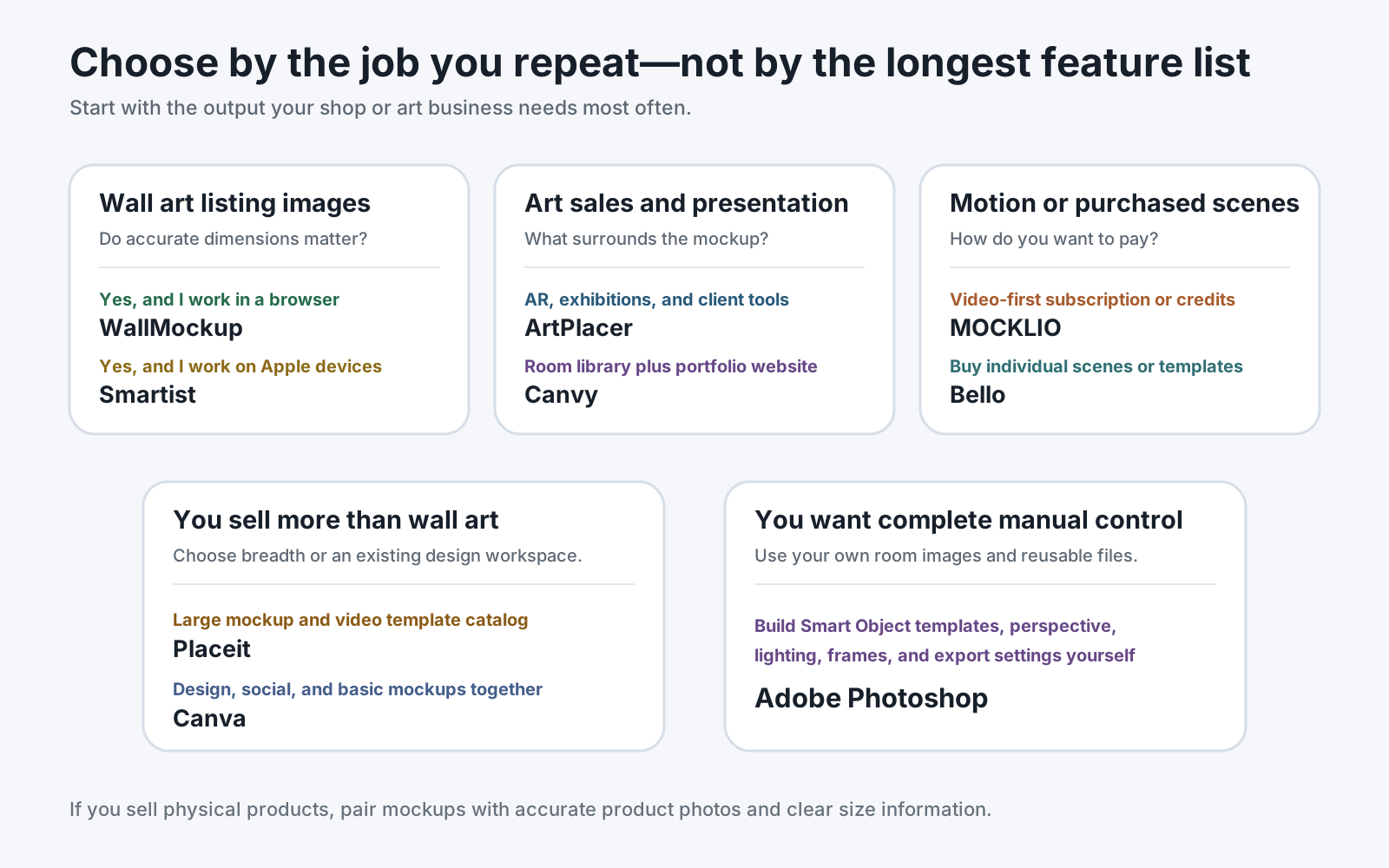
- Wall art only or many product categories? Choose a dedicated art tool for wall art precision. Choose Placeit or Canva when apparel, packaging, devices, and general design matter as much as prints.
- Accurate scale or decorative presentation? WallMockup, ArtPlacer, Smartist, Canvy, and Bello publish dimension-based or true-scale workflows. Photoshop can do it manually. Placeit and Canva don't advertise a dedicated real-room dimension system.
- How many listings do you publish? For a growing catalog, prioritize saved artwork, reusable scenes, consistent controls, and predictable export rights over the largest possible room count.
- Do you need video? Start with MOCKLIO for video-first marketing; also compare ArtPlacer, Smartist, Bello, and Placeit based on the exact video scene and plan limits.
- Do clients need to preview art in their room? ArtPlacer and Smartist are stronger than listing-only tools for custom spaces, AR, presentations, or commission approvals.
- What is your real budget model? Separate free plans, trials, watermarked previews, per-scene purchases, per-video credits, annual subscriptions, and monthly subscriptions.
- Do you already know Photoshop? Existing skill and licensed room assets can make Photoshop the most flexible choice. Starting from zero usually makes a dedicated generator faster to operationalize.
For the underlying listing workflow - not just the software - read the complete guide to wall art mockups. Wall art sellers can also use the dedicated Etsy wall art mockup workflow.
FAQ
What is the best art mockup tool for Etsy?
For an Etsy shop focused on wall art, WallMockup is the most direct option because it combines real print dimensions, room scenes, frame controls, and listing exports. Choose Placeit for many product categories, Canva for general listing design, or Photoshop for a custom PSD workflow.
What is the best free wall art mockup generator?
There is no single best free option for every workflow. Canvy has a permanent free plan with weekly downloads, MOCKLIO offers free front-view stills, Canva has free general mockups, and Placeit has free templates. WallMockup, ArtPlacer, Smartist Pro, and Photoshop offer time-limited trials instead.
Can I create art mockups without Photoshop?
Yes. WallMockup, ArtPlacer, Smartist, Canvy, MOCKLIO, Bello, Placeit, and Canva all provide browser-based or app-based ways to create art mockups without building a PSD template.
Which art mockup tool shows wall art at accurate scale?
WallMockup, ArtPlacer, Smartist, Canvy, and Bello publish real-dimension or true-scale workflows. Photoshop can also show accurate scale when the room and artwork are calibrated manually. Placeit and Canva don't list a dedicated physical-dimension workflow for wall scenes.
Can art mockup images be used commercially?
Often yes, but the license depends on the tool, plan, scene, and source assets. Smartist, MOCKLIO, Bello, Placeit, Canva, Canvy, and WallMockup publish commercial-use terms or licenses. Photoshop users must separately license the room photography, fonts, and template assets they use.
Is Canva or Placeit better for wall art?
Canva is better when you also need listing graphics, size charts, social posts, and a free design workspace. Placeit is better when you want a larger paid mockup catalog across many product types. Neither publishes the true-scale wall art controls of a dedicated art mockup tool.
How many mockup images should an Etsy listing contain?
Etsy currently allows up to 20 photos and 2 short videos, but you do not need to fill every slot. Use enough images to show the product clearly: a strong first image, accurate room scale, close detail, size options, frame or finish, and exactly what the buyer receives. Physical sellers should include real product photography where possible.
Final recommendations
Choose WallMockup for focused, true-scale wall art listing images; ArtPlacer for gallery and client workflows; Smartist for Apple-device visualization; Canvy for browser mockups plus a portfolio; MOCKLIO for video; Bello for individually purchased scenes; Placeit for many product categories; Canva for general free design; and Photoshop for a fully custom production system.
The fairest buying decision is to test your own portrait artwork in two or three finalists, verify the export and license, and check whether the same setup can be repeated across your next 20 listings. Do not choose on room count alone.
If your repeated job is wall art listing creation, try the WallMockup art mockup generator during the seven-day trial. If you need a broader workflow, use the alternatives above - the goal of this guide is to help you choose the right system, not force every seller into the same one.