Canvy Alternatives: 8 Wall Art Mockup Tools Scored
Canvy is a good room library with a portfolio site, but unlimited downloads cost $39 a month. If you mainly need true-scale listing images, WallMockup does that for $4.99. For galleries, look at ArtPlacer; for video reels, MOCKLIO; for an iPhone workflow, Smartist.
What this comparison covers
- Quick answer by use case
- Scored comparison of 8 tools
- Is Canvy free? Plans and limits
- What Canvy does well, from hands-on use
- The alternatives, one by one
- What 50 listing images a month cost
- Canvy vs ArtPlacer
- When to stay with Canvy
- FAQ
Which Canvy alternative fits your work?
Start with the job you repeat every week, not the longest feature list.
How the 8 tools compare
Canvy sits in the table as the baseline. Each tool gets four scores; the overall is their plain average. A tool that does one job well can still score lower on features, which is the honest trade-off a seller should see.
Tap a row for notes and the source page · Sort by any score
Is Canvy free? Plans and limits
Yes, Canvy has a permanent free plan, and it is more generous than most trials: no time limit and a full image license. The limits are in volume and size. Here is the whole picture from Canvy's pricing page on October 11, 2026:
| Free | Plus | Pro | |
|---|---|---|---|
| Price | Free | $19/month or $180/year | $39/month or $384/year |
| Rooms | 15+ | All 2,000+ | All 2,000+ |
| Room image downloads | 7 a week | 200 a month | Unlimited |
| Download size | Medium | Full | Full |
| Artworks stored | 100 | 300 | Unlimited |
| Video generations | 0 | 5 a month | 50 a month |
| Website | Subdomain, 3 pages | Subdomain, 10 pages | Own domain, unlimited pages |
| Etsy integration | No | No | Yes |
Seven medium-size downloads a week is roughly 30 a month, enough to try the tool but not to run a shop that lists several prints a week. Plus raises that to 200 full-size images; only Pro removes the cap.
What Canvy does well, from hands-on use
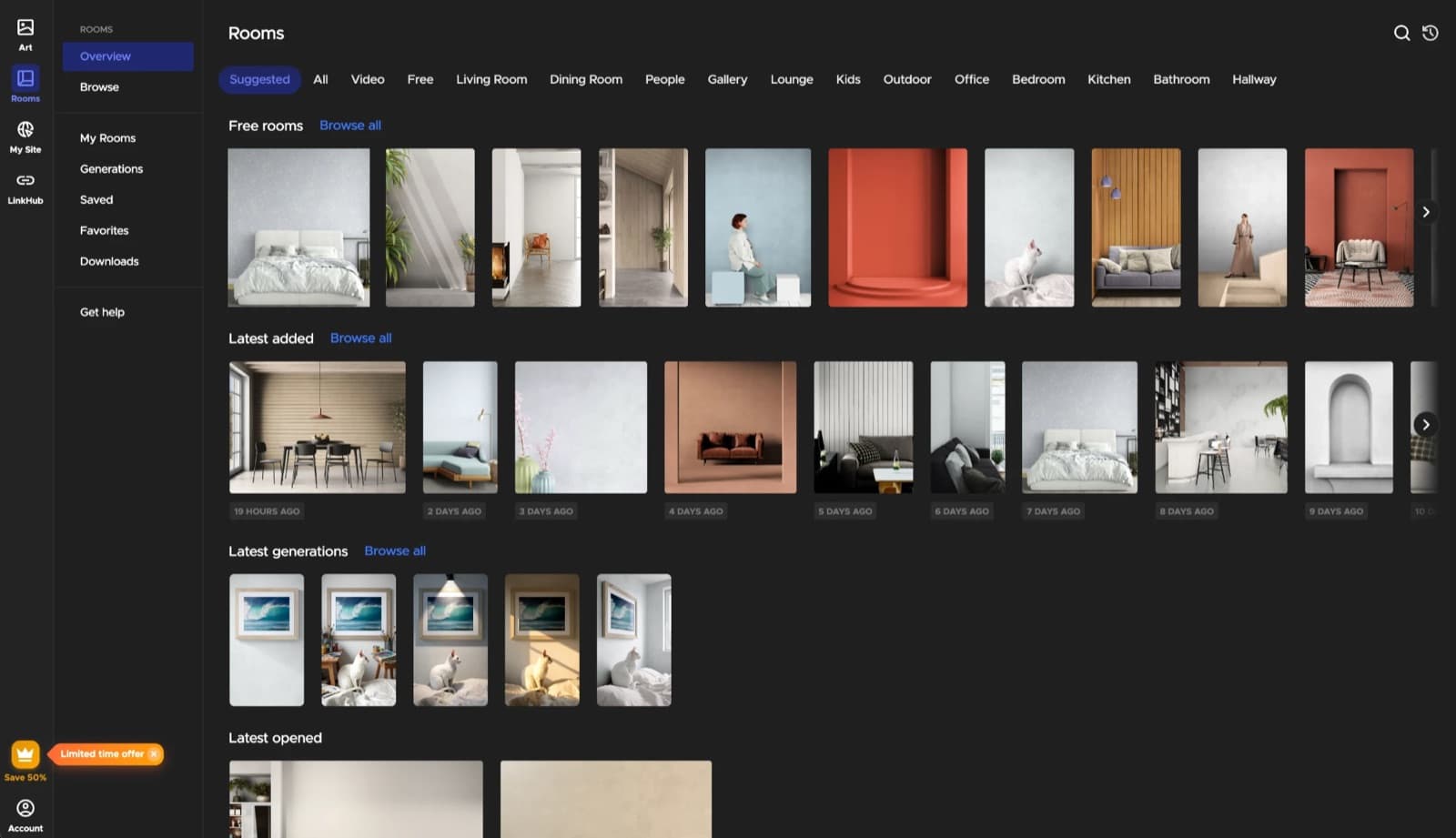
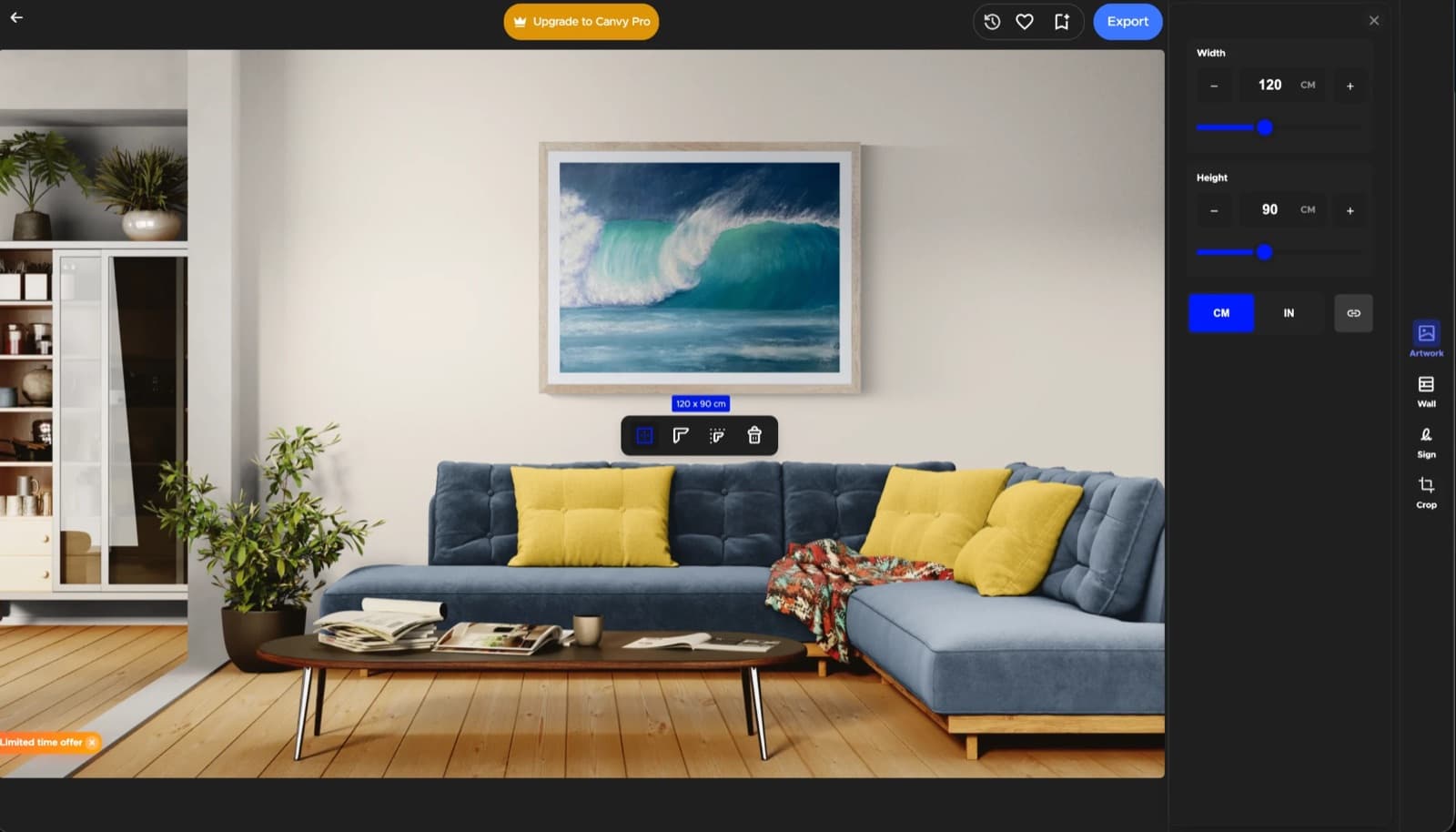
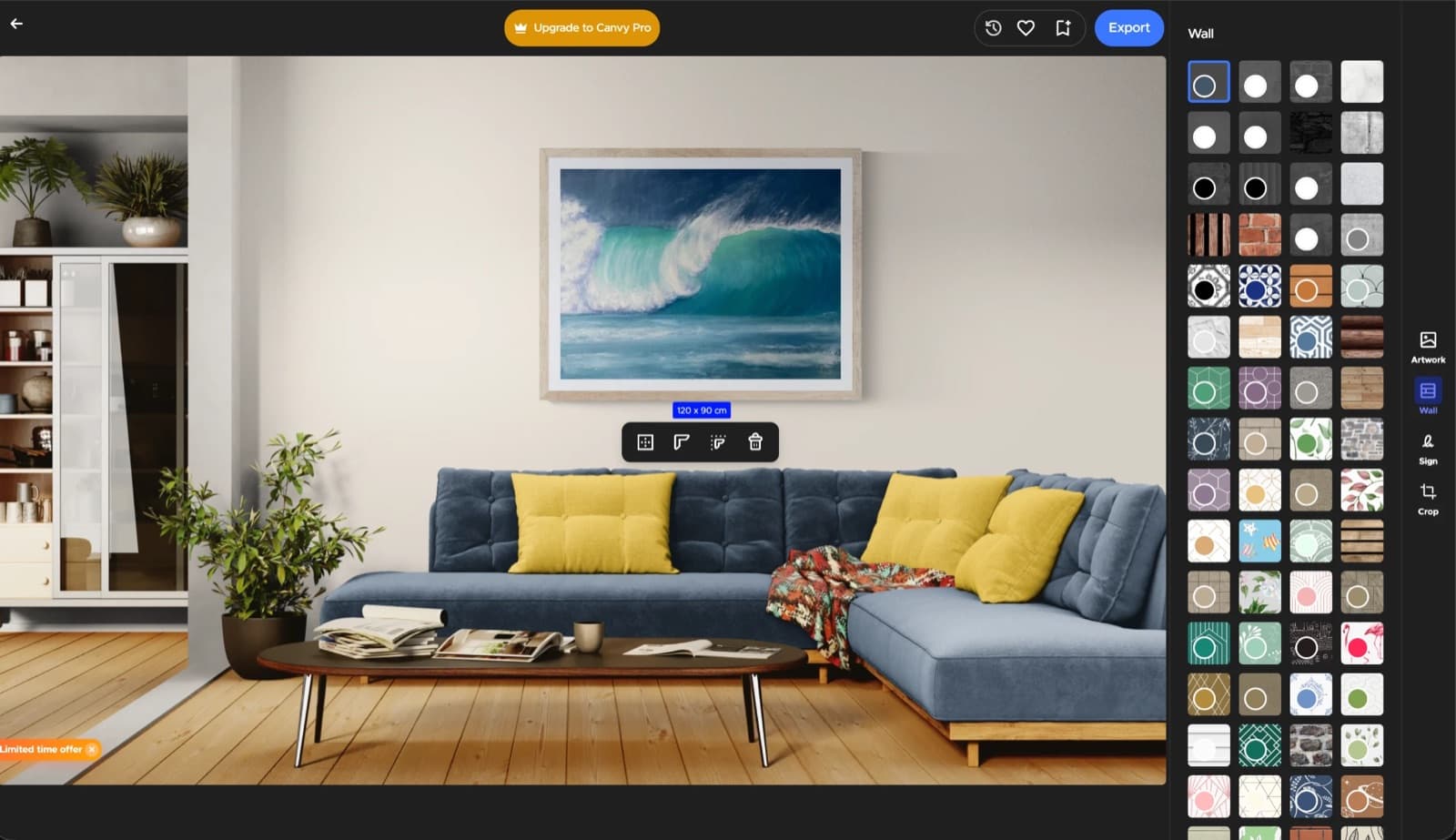
Canvy currently runs two versions side by side: the original app and Canvy 2.0, which you can switch into from the top menu. We made the same mockup, a 120 x 90 cm framed wave painting, in both.
Real size, in centimeters or inches
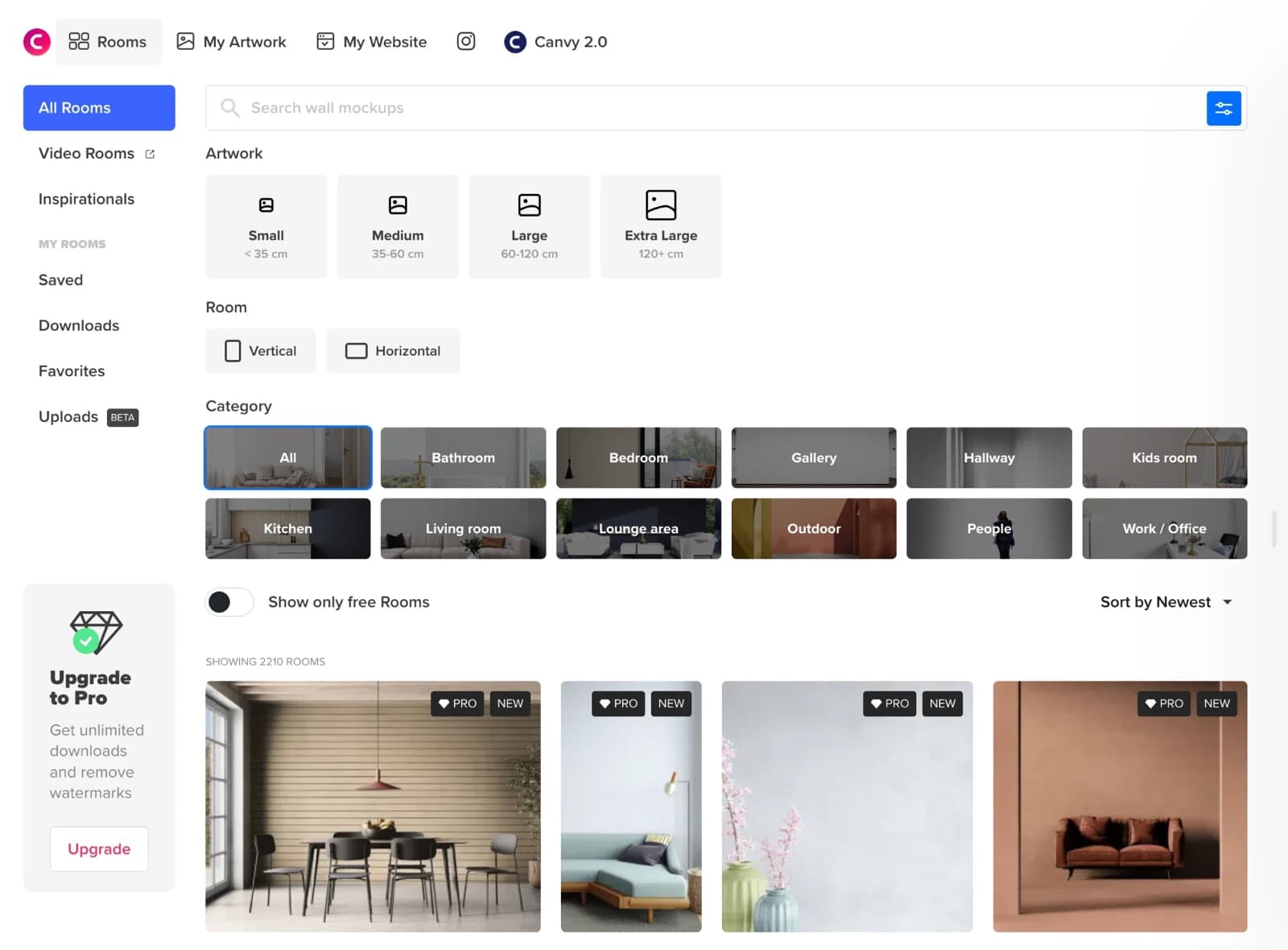
Canvy takes the artwork's width and height in cm or inches and shows the size label on the wall. The room library can be filtered by artwork size (small, medium, large, extra large), which is a useful shortcut for finding rooms that suit the print.
Frames and walls you can change
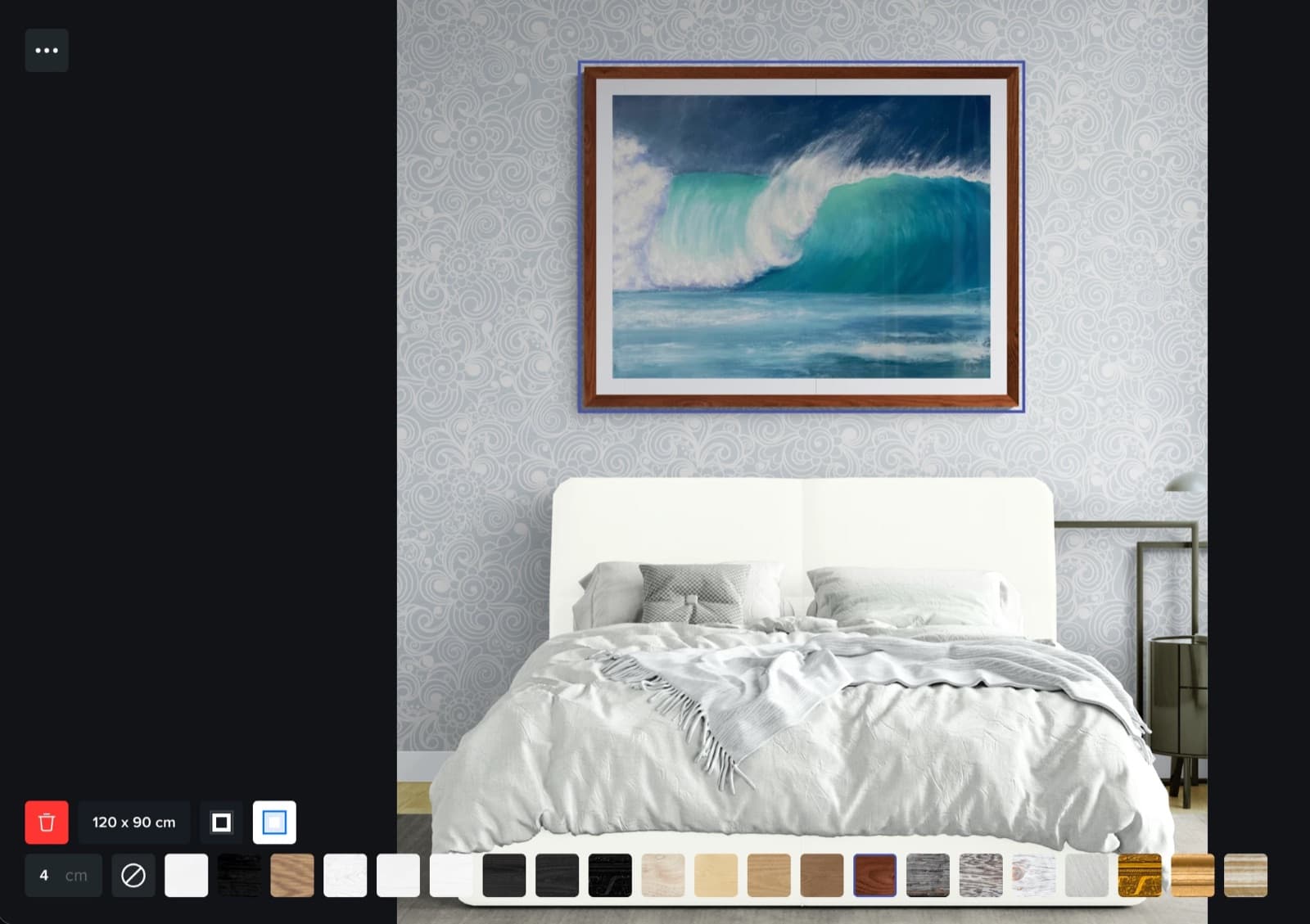
The original app has a frame bar with about 20 finishes, a frame width in centimeters, and a mat toggle. Canvy 2.0 adds a wall panel with dozens of paint colors, textures, and wallpapers, so one room can look like several.
Recolor objects in the room
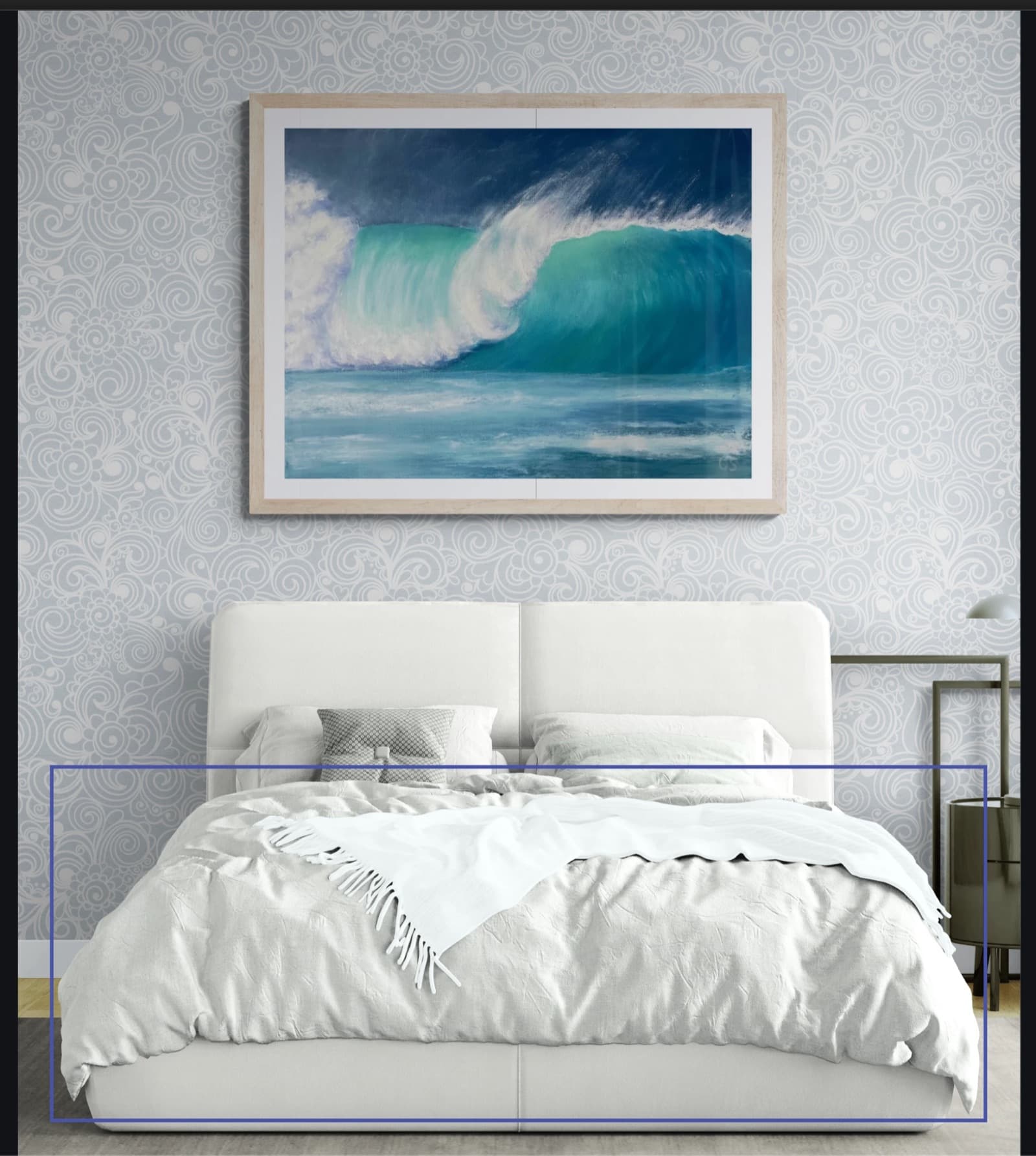
In the original app you can select an object, such as the bed, and change its color. It is a small feature, but it helps when a room is right except for one clashing piece of furniture.
Where Canvy limits you
- Unlimited downloads need the $39-a-month Pro plan.
- Two interfaces for now: some features live in the original app, others in Canvy 2.0.
- No batch workflow listed for generating a whole set of rooms and frames from one upload.
- Much of the value is the website and artwork manager; if you only need listing images, you pay for parts you won't use.
The alternatives, one by one
WallMockup
8.3/10Best for true-scale listing images and full sets from one upload
You type the print's real width and height, and every room shows it at that size, so an 8x10 looks like an 8x10 next to the furniture. That is the job WallMockup is built around, and it adds the controls print sellers ask for:
| For artists | What you control |
|---|---|
| Frames | 54 frames; black, white, wood, metal, gold, floating; Thin, Standard, Bold, or exact width |
| Mats | Single or double mat; width and color; inner reveal Thin, Standard, or Wide |
| Frame Match | Three suggested looks per artwork: Best match, Timeless, Statement |
| Shadow | Angle, depth, intensity, and direction |
| Rooms | Hundreds of rooms, recommended by size, shape, and color; or upload your own wall |
| AI custom room | Generates a new room, then places your original file unchanged |
| For print sellers | What it does |
|---|---|
| Batch Mockups | One artwork into every room and frame look you pick, up to 60 previews per run |
| Recipes and saved looks | Reuse the same rooms and frames across a collection |
| Per-room placement and shadow | Set once, apply to every room in the batch |
| Export | PNG and JPG up to 4x; WEBP with credits or Pro; a clean-wall download |
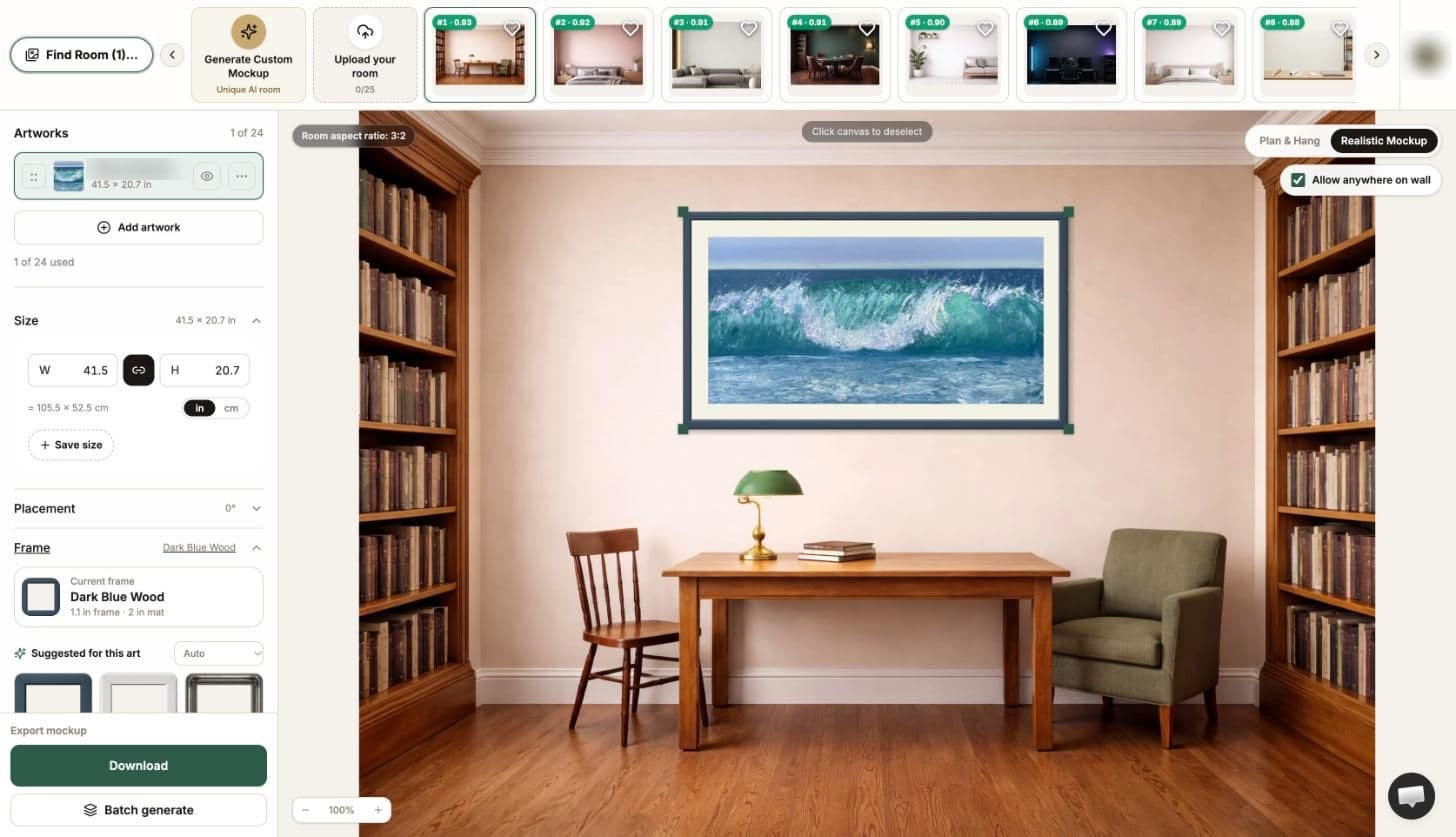
Price: 7-day free trial without a card, then $5.99 one-time for 100 credits or Pro at $4.99 a month with unlimited exports and 10 AI room credits. Skip it if you need video, AR, a portfolio website, or gallery client tools. It does wall art listing images and nothing else.
ArtPlacer
6.8/10Best for galleries, advisors, and collector presentations
ArtPlacer is a platform more than a mockup tool: 2,900+ rooms, custom frames, an AR app, presentations, contact management and, on Plus, virtual exhibitions. Its pricing starts with a 14-day trial; Basic is $8 a month billed yearly (50 artworks, 30 downloads a day, one video credit per 30 days), Standard $14, Plus $23.
Skip it if you only need marketplace listing images. Our ArtPlacer alternatives page goes deeper.
MOCKLIO
7.8/10Best when video reels matter as much as stills
The free plan gives unlimited front-view stills, more generous than Canvy's seven a week. Pro ($19 a month) adds two 10-second videos, multiple perspectives, carousels, captions, a portfolio with a shop, and an AI batch mode that matches up to 50 artworks to rooms. Studio ($39) raises video to five a month. Videos render over a couple of hours rather than instantly.
Skip it if buyers keep asking “how big is it?”; exact size input is not listed.
Smartist
7.3/10Best for an iPhone, iPad, or Mac workflow
Smartist is the most feature-rich app here on paper: 3,000+ interiors on Pro, angle views, art behind foreground objects, custom frames and mats, video, AR, your own room photos, and a title and description generator. The free plan includes 5 interiors; Pro is $19.99 a month, or $7.49 a month billed yearly.
Skip it if you work on Windows, Android, or want a browser tool.
Bello
6.3/10Best for a few premium scenes without a subscription
Bello's generator previews your art across 50+ room scenes for free, with a watermark and no account, and can show it at true scale once you enter a size. You pay per clean download; scenes on its site are listed from $2.50. Frame scenes have fixed ratios, so odd sizes skip some of them.
Skip it if you need many images per listing; per-scene costs add up.
Placeit
5.3/10Best if wall art is one product among many
A huge template library across apparel, devices, logos, and video, with a wall art category. The unlimited plan is listed from $7.47 a month on yearly billing. No real-dimension input is listed.
Skip it if scale accuracy matters to your buyers.
Canva
6.3/10Best if you already design everything in Canva
Mockups are a small part of a general design tool. Handy for quick social graphics; Pro is US$144 a year per person on its pricing page.
Skip it if you need the print shown at its real size.
What 50 listing images a month cost
The headline price rarely tells you what a working month costs. Here is the cheapest published way to get 50 clean listing images a month from each tool (monthly equivalent, yearly billing where it is cheaper):
| Tool | About per month | How |
|---|---|---|
| WallMockup | $4.99 | Pro, unlimited exports; or about half of the $5.99 credit pack |
| MOCKLIO | $0 | Free front-view stills; no exact sizing |
| Smartist | $7.49 | Pro billed yearly ($19.99 monthly) |
| Placeit | from $7.47 | Unlimited plan billed yearly |
| ArtPlacer | $8 | Basic billed yearly; 30 downloads a day |
| Canva | $12 | Pro at US$144 a year |
| Canvy | $15 to $19 | Plus (200 downloads a month); the free plan covers about 30 medium-size downloads a month |
| Bello | about $125 | 50 clean downloads at $2.50 each |
Bello is the outlier because it charges per image; for a handful of hero shots it can still be the cheapest.
Canvy vs ArtPlacer
| Canvy | ArtPlacer | |
|---|---|---|
| Rooms | 2,000+ (2,210 in the library when checked) | 2,900+ |
| Free access | Permanent free plan | 14-day trial |
| Entry paid plan | $19/month or $180/year | $8/month billed yearly |
| Unlimited downloads | Pro, $39/month | Standard, $14/month billed yearly |
| Real size | Yes, cm or inches | Yes |
| Video | Yes, generations per month | 1 to 2 credits per 30 days |
| Website or profile | Website builder | Discover profile, website integrations |
| Best for | Artists who want rooms plus a simple site | Galleries, advisors, collectors |
When to stay with Canvy
Stay if you use Canvy's website, if its artwork manager is how you organize your catalog, or if you want room images and short videos from one subscription. Pro's Etsy integration and own-domain site are real advantages that the listing-focused tools here don't try to match. The question is only whether you need them.
How to test an alternative in 20 minutes
- Pick one finished print and write down its real size.
- Make the same listing image in Canvy and in the alternative: same artwork, similar room, similar frame.
- Check whether you can enter the real size, and whether the result looks that size next to the furniture.
- Export at your normal listing size and compare sharpness and watermarks.
- Work out what your next 50 images would cost on each plan.
The tool that wins steps 3 to 5 for the way you sell is the right one, whatever its feature list says.
FAQ
What is the best Canvy alternative?
It depends on the job. For true-scale wall art listing images at the lowest price for unlimited exports, WallMockup. For galleries and collector presentations, ArtPlacer. For video reels, MOCKLIO. For iPhone and iPad, Smartist.
Is Canvy free?
Canvy has a permanent free plan with 15+ rooms, 7 room image downloads a week in medium size, and 100 stored artworks. Plus costs $19 a month or $180 a year, and Pro costs $39 a month or $384 a year, according to its pricing page on October 11, 2026.
Does Canvy have unlimited downloads?
Only on Canvy Pro at $39 a month. Plus allows 200 full-size downloads a month, and the free plan allows 7 medium-size downloads a week.
Does Canvy show art at real size?
Yes. Canvy lets you type the artwork width and height in centimeters or inches and shows the size label on the wall, and its room library can be filtered by artwork size.
Is there a cheaper alternative to Canvy for unlimited mockups?
WallMockup Pro is $4.99 a month with unlimited exports. MOCKLIO gives unlimited front-view stills for free, but without exact size input.
Canvy or ArtPlacer: which is better?
Canvy is simpler and cheaper for room mockups and a portfolio site. ArtPlacer is a broader platform for galleries, with AR, presentations, and exhibitions, and its entry plan is cheaper per month when billed yearly but limits artworks and downloads.