Bulk Mockup Generator
Bulk Mockup Generator for Wall Art
A bulk mockup generator creates many product images from a single upload instead of building each one by hand. WallMockup's version is built for wall art: it pairs one artwork with every room and frame look you select, so a single print becomes a full set of listing images at true print scale.
- Free previews
- Up to 60 results
- No Photoshop
One artwork, every combination
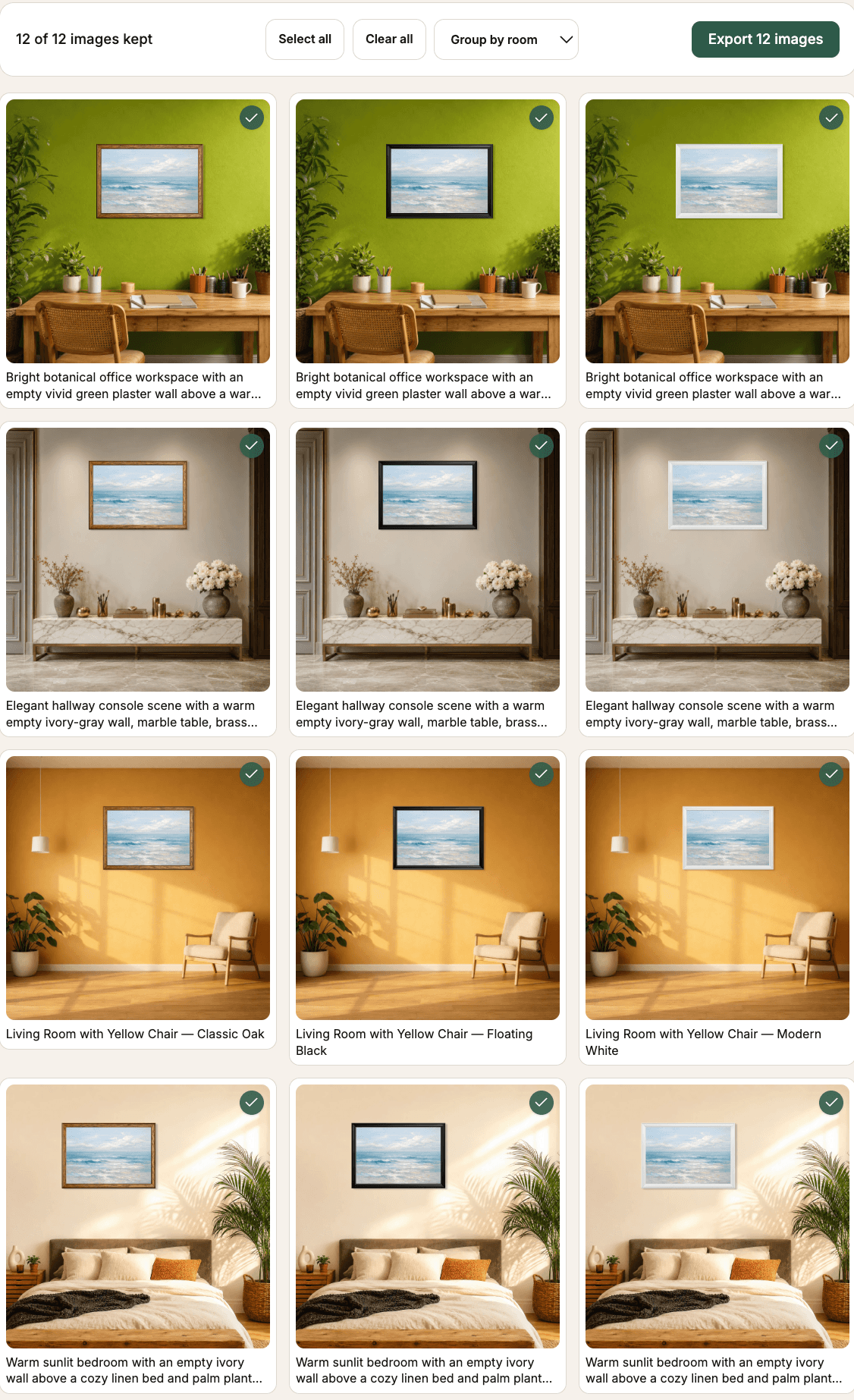
Rooms run down the left and frame looks run across the top, matching the results grid shown above. WallMockup renders every pairing with no re-uploading or re-placing.
4 rooms × 3 frame looks = 12 listing images
Add more rooms or frame looks and the set grows the same way, up to 60 combinations per run.
How Batch Mockups works
Three steps, and one artwork turns into a full set of listing-ready mockups.
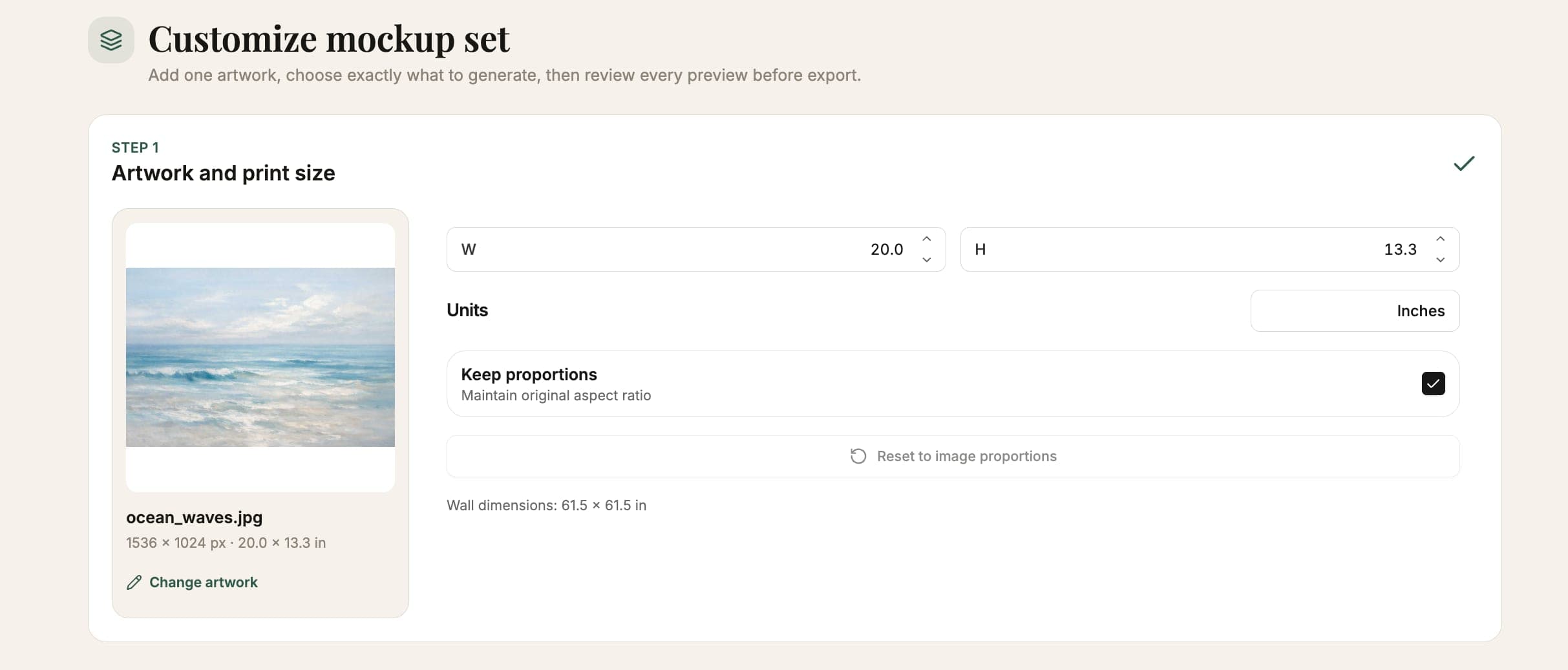
Add your artwork and set its size
Upload your art, or reuse one you've already got in your account, then set the exact print width and height. That size carries through every mockup in the set, so the whole collection stays true to scale.
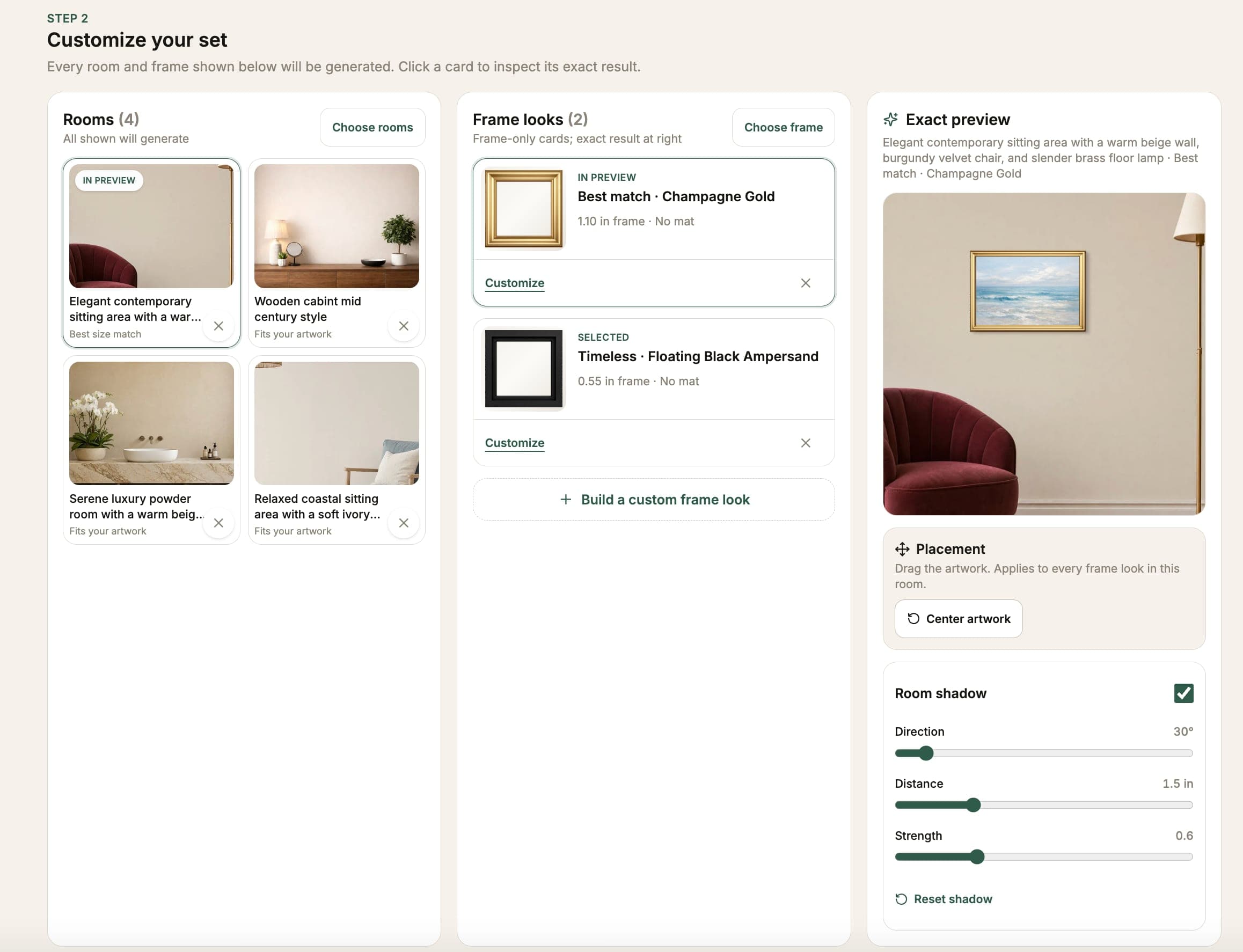
Choose rooms and frame looks
Pick the rooms and frame looks you want. WallMockup pairs your artwork with every combination automatically and shows an exact preview of whichever pair you're looking at. Add more of either and the set grows right along with it.
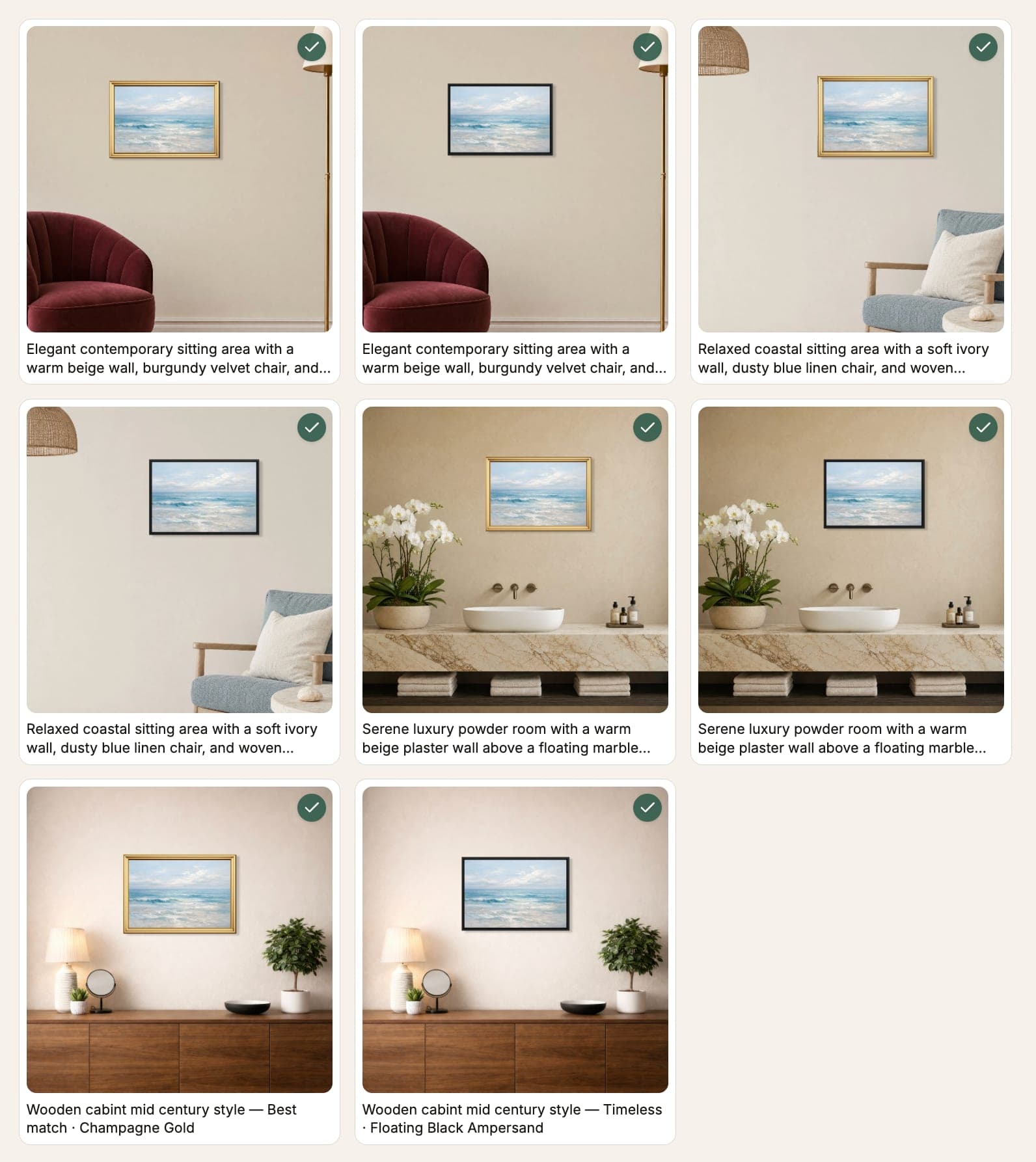
Review every result, then export
Every combination renders as a free preview. Uncheck what you don't want, then export the rest as PNG, JPG, or WEBP.
Ready to see your artwork in every pairing?
Create the full preview set before choosing which images to export.
The numbers
674
room scenes
54
frame looks
60
combinations per set
How WallMockup compares for bulk generation
Every tool below can generate mockups in bulk. That is not a WallMockup exclusive. The difference is what gets multiplied and whether the result stays true to scale.
| Feature | WallMockup | Dynamic Mockups | Mockupanda | Placeit |
|---|---|---|---|---|
| Bulk generation | Yes | Yes | Yes | Yes |
| What one upload multiplies | Rooms x frame looks | Templates, colors, and products | Wall art and frame templates | Templates; workflow varies |
| Exact print dimensions across the set | Yes | Not documented | Template fit | Template fit |
| Own PSD / Photoshop file required | No | No; optional | No; optional | No |
| Wall art focus | Yes | One category among many | Yes | One category among many |
| Published bulk limit | 60 combinations | Not stated | 50+ templates | Not stated |
Competitor capabilities change. This comparison reflects public product documentation available on August 31, 2026. Looking for a closer Placeit comparison? See how WallMockup compares to Placeit.
Who uses bulk mockups
Etsy sellers
Build a varied set for Etsy's current allowance of up to 20 listing photos: hero rooms, frame comparisons, closer views, and size context from one artwork upload.
Bulk mockups for Etsy sellers →Print shops
Show the same edition across the frame looks you offer so buyers can compare finishes before they order.
Frame mockup generator →Print-on-demand sellers
Generate a full room-and-frame set per SKU without opening a design tool or managing a template library.
Mockups without Photoshop →Photographers
Preview a large-format print across several rooms and frame styles before committing to a print run.
Gallery wall mockups guide →Building an Etsy image set from one bulk run
Etsy currently allows up to 20 photos per listing. A single bulk mockup run can build a varied starting set from one artwork: hero rooms that suit the style, frame-look comparisons, closer views, and rooms that communicate scale. Etsy recommends listing images at least 2000 pixels wide and 2000 pixels high.
Reusable mockup sets
Once you've picked the rooms and frame looks that work for your shop, save them as a mockup set. The next artwork you upload can reuse that exact set instead of rebuilding the room and frame selection from scratch. Pick the set, drop in the new print, and generate.
This is the part that scales past a single listing: a shop that publishes new prints weekly can keep the same room-and-frame set for consistent-looking listing photos across the whole catalog, and only build a new set when the look genuinely needs to change.
Formats and export
WallMockup exports PNG, JPG, and WEBP. Every preview in a batch renders free at display resolution before you export anything.
Active trials include PNG at every resolution and JPEG at 1× resolution. Trial JPEG exports at 2× and 4× are disabled, with an explanation, until you add credits or move to an unlimited plan. Other HD exports draw from credits or an unlimited plan, the same way they do in the single-mockup editor.
Common questions
What is Batch Mockups?+
Batch Mockups is WallMockup's bulk mockup generator for wall art. Upload one artwork, choose the rooms and frame looks you want, and it renders every room-and-frame combination automatically, instead of you building each mockup one at a time.
How does the generator create every combination?+
You pick rooms and frame looks once, and WallMockup pairs your artwork with each one and renders every result. 4 rooms x 3 frame looks, for example, gets you 12 mockups in one pass.
How many mockups can I generate at once?+
A single set supports up to 60 room-and-frame combinations. Start small with a recommended set, then add more rooms or frame looks as you need them.
Do I get charged for every preview?+
No, generating previews is always free, at display resolution. Exporting works the same as the single-image editor: active trials include PNG at every resolution and JPEG at 1×, and other HD exports use credits or an unlimited plan.
Can I still create just one mockup instead of a full set?+
Yes. Use the wall art mockup generator for a single artwork and room. Batch Mockups is for when you want a whole set of listing images from one upload instead.
Can I reuse the same rooms and frames for a new artwork?+
Yes. Save the rooms and frame looks you picked as a mockup set, then apply that same set to different artwork later without rebuilding your choices from scratch.
What export formats are supported?+
WallMockup exports PNG, JPG, and WEBP at multiple resolutions. PNG gives the cleanest output for hero images; JPG works well for marketplace listings where file size matters.
What is the difference between batch and bulk mockup generation?+
They describe the same thing on WallMockup: generating many mockups from one upload in a single pass. "Batch Mockups" is the feature name inside the product; "bulk mockup generator" is how people search for it. Both point at the same rooms x frames workflow on this page.
Do I need Photoshop?+
No. WallMockup runs entirely in the browser. There is no PSD file, no smart object, and no template library to maintain. Upload your art, pick rooms and frame looks, and export.
Can I use my own room photos?+
Not yet for Batch Mockups. You choose from WallMockup's built-in room library, which covers living rooms, bedrooms, offices, hallways, and more at true-to-scale wall dimensions.
More ways to generate wall art mockups
Generate your first mockup set
Preview every combination for free. Pay only for the exports you keep.
Create my free previews